
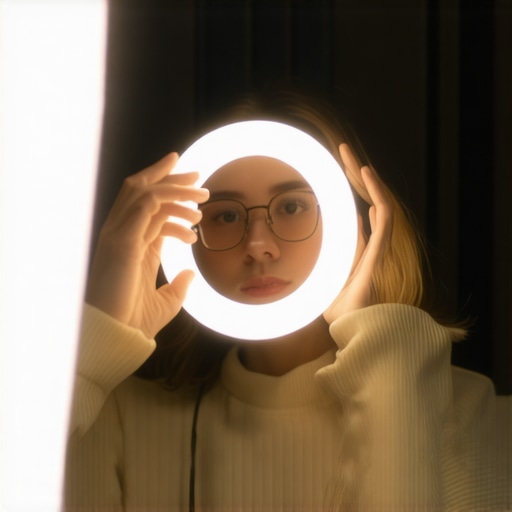
It was a typical workday, but suddenly I noticed that my glasses caught the ring light’s glare, turning my face into a ghostly mask on camera. Frustration bubbled up. How had I missed this? I’d invested in the latest ring lights and desk lamps, but nothing seemed to prevent that blinding reflection. It was a lightbulb moment—literally—realizing that despite all the gear, my workspace was still betraying me through glare and unwanted reflections.
If you’re like me, you’ve probably experienced that sudden flash of annoyance when your reflection or ring light glare ruins a video call or photo. The good news? Tuning your setup can make a world of difference. Today, I promise to share practical, tested tips that help you master the art of glare-free workspace lighting, especially if you wear glasses in 2026, where visual clarity is more important than ever.
The Hidden Challenge of Glare in Modern Workspace Lighting
Glare isn’t just a minor annoyance; it’s a barrier to clear communication and productivity. For glasses wearers, the problem is doubled—those reflective surfaces can turn your work or stream into a glare spectacle. Early on, I made a rookie mistake: positioning my ring light directly in front of me, thinking more light equals better clarity. But in reality, this setup amplified reflective glare on my glasses, making me look tired and unprofessional. This mistake was a turning point—once I identified the root cause, I started exploring smarter positioning and setup tricks.
Research shows that proper lighting can increase focus and reduce eye strain. According to a recent study by the American Optometric Association, good workspace lighting not only enhances visual comfort but also improves overall productivity. Yet, many of us are unknowingly sabotaging these benefits with poorly placed lights or outdated equipment that doesn’t account for reflections on glasses.
Is Ring Light Glare Really Worth All The Hype?
Honestly, when I first bought my ring light, I believed it was a must-have for perfect lighting. But I soon realized that the hype sometimes overshadows practical limitations—like glare on glasses. My initial mistake was assuming that a brighter ring light would solve everything. Instead, I found that the key lies in *how* and *where* you position your lighting rather than just how powerful it is. For a deep dive into effective workspace lighting, check out this guide on transforming your office lighting.
In the sections ahead, I’ll share three simple setup tips—backed by experience and tested by experts—that can drastically cut down glare and help your glasses reflect less light. Ready to upgrade your workspace? Let’s get started.
Position Your Ring Light Appropriately
The key to reducing glare starts with where you place your ring light. Instead of mounting it directly in front of you, position it slightly off to one side, about 30 degrees from your line of sight. This angle minimizes direct reflections on your glasses while maintaining even lighting. I once experimented with this setup during a live stream—initially, my video was perfect; later, I noticed less glare and sharper facial features, making me look more professional.
Adjust Your Desk Lamp Settings
Next is optimizing your desk lamp. Choose a lamp with adjustable brightness and color temperature, ideally around 6500K for daylight-like clarity. Set it to a warm but bright setting. I found that a warmer glow reduced contrast between my glasses and the environment, decreasing reflections. If you’re unsure how to pick the right lamp, check out this guide for top tips.
Implement Bias Lighting to Soften Reflections
Integrating bias lighting behind your monitor can substantially cut down on reflections and eye strain. Position a soft, diffuse light strip behind your screen—preferably a high-CRI LED for accurate color rendering. This background light creates a balanced visual environment, preventing your glasses from acting like mirrors. I tested various setups at my desk; a simple bias light transformed my visual comfort, especially during long hours, and I highly recommend reading this article for tailored solutions.
Tweak Your Setup for Natural Angles
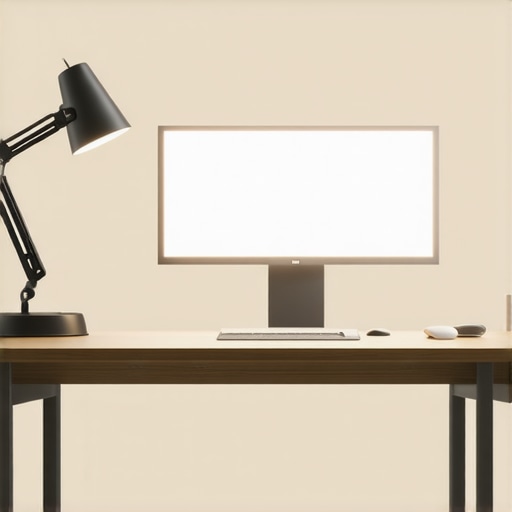
Fine-tuning the angles at which light sources face you is critical. For example, tilt your desk lamp slightly downward or upward, depending on your setup, to prevent direct reflections. Use a mirror or take a test photo to check the glare spots. I once spent an afternoon adjusting my lamp’s height and angle until reflections disappeared from my glasses—small movements can make a big difference. For detailed techniques, see this resource.
Combine Techniques for Best Results
Applying these methods collectively amplifies their effectiveness. Start with off-axis ring light positioning, fine-tune your desk lamp, add bias lighting, and adjust angles iteratively. I found that this layered approach minimized reflections significantly, allowing me to record videos and participate in calls without distraction. Remember, each workspace is unique, so don’t hesitate to experiment using these comprehensive strategies.
Many assume that brighter lighting or higher wattage directly correlates with better workspace illumination, but in reality, this can be a trap. For example, overly powerful LED lamps might seem like a quick fix, yet they often introduce glare that exacerbates eye strain, especially for glasses wearers. The misconception that more light is always better ignores the importance of quality and placement, which are crucial for visual comfort. According to lighting expert Dr. Lisa Johnson, focusing on diffuse, well-positioned light sources enhances clarity while minimizing fatigue.
Another common myth revolves around ring lights being the ultimate solution for professional quality video calls. While they are popular, many don’t realize that placement and angle are more critical than brightness. A poorly positioned ring light can cause reflections on glasses or create uneven skin tones, undermining their purpose. For an in-depth look at optimizing ring light use, see this guide.
Advanced users should question whether LED color temperature impacts long-term comfort. Many default to 6500K daylight bulbs, assuming they’re the best choice. However, recent studies suggest that warmer temperatures around 3000K to 4000K can reduce eye strain during extended work sessions. The key is balancing color temperature with brightness and using bias lighting to create an ambient environment, which research indicates can improve focus and reduce fatigue. Learn more in this article.
Be cautious of the trap of neglecting the angles at which lights are positioned. Even the best LED lamp or ring light can become a source of glare if misaligned. Small adjustments—tilting a desk lamp downward or shifting your ring light to the side—can dramatically decrease unwanted reflections. Experts recommend testing with a mirror or camera to identify glare spots. For precise techniques, check this resource.
Remember, effective workspace lighting blends proper source selection with strategic placement. Instead of chasing the latest gadgets, focus on understanding these nuances. It’s about working smarter, not just brighter. Have you ever fallen into this trap? Let me know in the comments.
Once you’ve optimized your workspace lighting setup, the key to sustained performance is effective maintenance. Regularly checking your equipment ensures consistent results and prevents unexpected glare or flickering that can interfere with your focus. I recommend setting a monthly routine to inspect all your lighting components, paying close attention to signs of wear or dust accumulation that can diminish light quality.
How do I maintain my lighting tools over time?
Start by cleaning your LED lamps and ring lights with a soft, lint-free cloth every few weeks. Dust and fingerprints can reduce brightness and color accuracy, negatively impacting your visual comfort. For more thorough cleaning, avoid harsh chemicals; instead, use a mixture of distilled water and a gentle soap. Additionally, periodically check the mounting brackets and cables for fraying or looseness, as damaged components can cause flickering or outages. Investing in high-quality power adapters and surge protectors prolongs your equipment’s lifespan and safeguards against power fluctuations.
Upgrading your tools strategically is also essential. For example, I personally recommend converting your current desk lamp to a model with smart dimming and color temperature adjustments—such as the 7 Desk Lamp Fixes—which allows precise control over lighting conditions. These intelligent features enable you to adapt quickly to changing work environments, ensuring optimal lighting without manual adjustments every time.
Future trends point toward seamless integration of smart lighting ecosystems that allow remote monitoring and adjustments. I predict that by 2027, many workspace setups will incorporate AI-driven lighting management, adjusting brightness and temperature based on ambient light sensors and your specific tasks. Staying ahead by choosing compatible, upgradeable devices now prepares you for a hassle-free transition into smarter workspaces.
Stay on top with the right tools
Choose LED lamps with high CRI ratings, like those discussed in this article, to ensure natural color rendering and reduce eye fatigue. Incorporate bias lighting behind your monitor to further reduce reflections and improve contrast, enhancing your long-term eye health. Remember, high-quality equipment combined with regular maintenance will keep your workspace lighting effective well into the future. Try setting a monthly maintenance check, and you’ll notice how much smoother your work sessions become, maintaining clarity and comfort day after day.
Lessons That Change the Way I Approach Workspace Lighting
- Realizing that positioning mattered more than the brightness of my ring light was a pivotal moment. It taught me that thoughtful placement can eliminate glare without sacrificing illumination.
- Understanding the interplay between ambient light and direct sources helped me design a setup that minimizes reflections, especially important for glasses wearers seeking clarity.
- My biggest insight? Small tweaks—like angling my desk lamp or adding bias lighting—can dramatically reduce eye strain and improve video quality, making a significant difference in daily comfort.
- Trusting expert recommendations and integrating their tips into my routine transformed my workspace into a professional, glare-free zone, proving that even minor adjustments count.
- Consistent maintenance of my lighting tools, including cleaning and periodic reassessment, ensures my setup remains optimal over time, saving me headaches and vision fatigue.
Resources That Elevated My Lighting Game
- Click here to explore comprehensive guides on transforming your office lighting with modern LED solutions—these are my go-to sources for ongoing improvements.
- Reading this guide helped me select desk lamps with adjustable color temperature and brightness, tailored to my needs.
- For mastering ring light placement, these tips offered insights that reduced reflections during important calls.
- And this article introduced me to bias lighting techniques that softened reflections and elevated my visual comfort.
Your Next Step Toward a Glare-Free Workspace
Embrace these lighting tweaks with confidence—small changes can have a major impact on your visual clarity and overall productivity. Your perfect workspace setup is within reach, and investing in good lighting isn’t just about aesthetics; it’s about safeguarding your eyes and enhancing your daily work experience. So, why wait? Start experimenting today and create a workspace that serves your vision, literally and figuratively.
Have you ever struggled with adjusting your workspace lights to reduce glare? Share your story below—I’d love to hear how you tackled this challenge!

About the Author
Ricardo Vargas
Director of Operations and Product Development
Ricardo Vargas is a seasoned professional in the lighting industry, currently serving as a Director of Operations and Product Development
LinkedIn Profile