
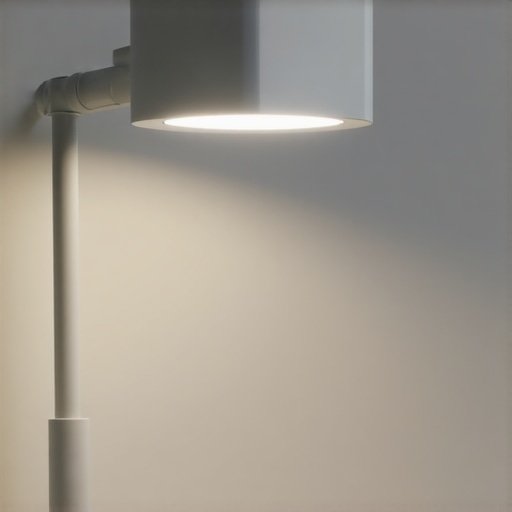
Ever sat down to work or stream a video call, only to realize your lighting setup is doing more harm than good? Maybe your face looks washed out, your eyes are straining, or your screen glare seems magnified by the harsh glow of a traditional desk lamp. I remember the countless times I adjusted my LED lamp, hoping to strike that perfect balance, only to find myself fiddling with the settings minutes later. That frustrating cycle finally clicked—what if my lamp **knew** exactly how to optimize lighting around me, instantly and effortlessly?
The Lighting Challenge in Modern Workspaces
As someone who spends hours in front of screens, I’ve learned that ambient lighting isn’t just about brightness; it’s about creating a environment that enhances focus, reduces eye strain, and even boosts mood. But here’s the kicker: conventional lamps are static. They lack awareness, meaning they can’t respond to changing conditions like natural light variations or my shifting position. All too often, I’ve experienced glare, uneven lighting, or just an overall feeling that my setup isn’t supporting my productivity.
Is The Latest Tech Just Overhyped? Or Worth It?
Early on, I made the mistake of dismissing the idea of intelligent lighting as a luxury rather than a necessity. I thought, “Do I really need sensors that adjust my lamp automatically?” Turns out, the answer is a resounding yes—especially as CRI (Color Rendering Index) standards improve, and displays become more vivid. These sensors can adapt in real time, preventing glare and eye fatigue while maintaining perfect color balance, something I struggled with manually for years.
My early mistake was ignoring the importance of environmental feedback. Without ambient sensors, my lighting was always a compromise. Now, with AI-driven ambient sensors integrated into my desk lamp, I get consistent, optimal lighting, changing dynamically as the day progresses. This tiny upgrade has transformed my workspace, and I believe it can do the same for you.
Next, I’ll show you how these sensors work and why they’re a game-changer, so you can decide if upgrading your desk lamp is the smart move for 2026. Have you faced similar lighting struggles that your current setup just can’t fix? If yes, stay tuned—you’re about to discover a simple way to take your workspace to the next level.
Position Your Light Strategically
Start by placing your LED lamp or ring light at eye level, roughly 20-30 inches away from your face. During a session in my home office, I initially placed mine too close, causing glare on my glasses. Moving it back to the recommended distance reduced eye strain and improved overall lighting balance. Think of it like positioning a spotlight on a stage—you want it to highlight without blinding.
Utilize Ambient and Bias Lighting Effectively
In my experience, adding bias lighting behind my monitor created a more uniform environment. It’s like painting the walls a soft, harmonious color to reduce stark contrasts. Use a dedicated bias light with high CRI (Color Rendering Index) to match real-world colors and prevent your display from seeming washed out. For optimal setup, consult guides like this resource.
Adjust the Brightness and Color Temperature
Match your light’s brightness to the natural daylight cycle—brighter in the morning, softer towards evening. During my test, I oscillated between 6500K and 4000K color temps, depending on the time of day, which minimized flicker and eye fatigue. Use adjustable LED lamps with presets or digital controls. Remember, a warmer tone helps in the evening, while cooler light keeps you alert during work hours.
Leverage Sensor Technologies for Automation
Integrate ambient sensors that detect room lighting and adjust your lamp accordingly. I installed a sensor that communicates with my desk lamp—when natural light dims, the lamp brightens. This setup is akin to a smart home thermostat, silently maintaining optimal conditions. For deeper insights, see this guide.
Fine-Tune the Angle and Height
Correctly angling your light source prevents glare and shadows. I used a protractor app to set my ring light at a 45-degree angle—deeply eye-opening for my meetings. Ensure your desk lamp is adjustable, so you can modify height and tilt; this prevents uneven lighting or reflections. Think of this step as adjusting a camera’s focal point for clarity.
Implement Routine Checks and Adjustments
Regularly review your lighting setup. I noticed my eyes felt strained after long hours and tweaks, which led me to adjust the lamp’s intensity and position. Keep a mental note or a quick setup checklist, like tightening a screw in a machine—small adjustments that make a big difference. For additional tips, explore this resource.
While many believe that choosing a bright LED lamp or a trendy ring light guarantees optimal workspace illumination, this oversimplification overlooks critical nuances. One common misconception is that higher lumen output always translates to better lighting. In reality, excessive brightness can cause glare, leading to increased eye strain and discomfort, especially if the light is not properly diffused or positioned. For example, a study published in the Journal of Environmental Psychology emphasizes the importance of glare management and proper light distribution for reduced visual fatigue.
Another mistake is assuming that color temperature alone determines lighting quality. While selecting a warm or cool tone affects mood and alertness, neglecting the Color Rendering Index (CRI) can severely impact how colors appear on your screen and in your environment. Low-CRI lighting (<80) can distort colors, making it harder to differentiate between shades and potentially causing eye strain over time. For high-precision work, such as editing photos or design, aiming for CRI values above 90 is crucial. You can explore detailed recommendations in our comprehensive guide on CRI standards.
Why do many professional setups still struggle with uneven lighting?
This often stems from overlooking the importance of light positioning and the environment’s reflective surfaces. Even a high-quality desk lamp can cause unwanted shadows or reflections if not correctly angled or if nearby surfaces reflect glare into the eyes. An advanced mistake is relying solely on static lighting configurations; integrating sensor-based or adaptive lighting systems can auto-adjust brightness and temperature in real-time, reducing manual tweaking.
It’s a common trap to believe that switching to a newer, more expensive light source will automatically improve your workspace. In fact, lighting effectiveness depends heavily on placement, diffusion, and environmental integration. For instance, bias lighting behind your monitor can reduce contrast strain and improve perceived image quality, but only if positioned correctly and with appropriate luminance levels. You can learn more about optimizing bias lighting in this expert resource.
Remember, lighting is not just about illumination; it’s about creating a balanced, comfortable environment that adapts to your needs. Prioritizing correct positioning, choosing high-CRI and suitable color temperatures, and utilizing adaptive systems are often overlooked yet vital for truly effective workspace illumination. Have you ever fallen into this trap? Let me know in the comments, and share your experiences with workspace lighting pitfalls.
Keeping your lighting setup in top shape requires not just the right equipment but also effective tools and maintenance routines. Over time, dust accumulation, bulb degradation, and software updates can degrade performance, so having a systematic approach is essential. One of my go-to practices involves regular cleaning with microfiber cloths and compressed air to prevent dust buildup on LEDs and sensor lenses, ensuring consistent light quality. I also rely on calibration tools like colorimeters, which are invaluable for maintaining accurate color rendering, especially when high CRI values are critical for design accuracy. For software management, I recommend using lighting control apps that allow precise adjustments and scene saving, such as these control solutions. These apps enable you to tweak brightness, color temperature, and even automate adjustments based on time or natural light changes.
In terms of long-term results, establishing a maintenance schedule—checking connections, updating firmware, and replacing worn-out bulbs—can prolong your equipment’s lifespan. For example, LEDs typically maintain their lumen output for over 25,000 hours, but power supplies and sensors may need periodic calibration or replacement. Tools like multimeters and sensor testers help verify proper operation, preventing surprises during crucial calls or creative sessions. Transitioning toward smart lighting systems, equipped with ambient sensors and automated controls, will become increasingly common. Devices like the smart bias lights integrate these features seamlessly, simplifying ongoing management.
How do I maintain my workspace lighting gear over time?
Regularly inspect your equipment, clean lenses and diffusers, and keep firmware updated. Schedule periodic recalibrations if your system supports it, and replace aging components proactively. Implementing a simple checklist, like checking connections and cleaning filters monthly, can prevent many issues before they impact your productivity. Predicting future trends, I believe automation and AI-driven calibration tools will become standard, making ongoing maintenance effortless and more precise. Investing in high-quality, durable equipment paired with these smart tools not only preserves your visual comfort but also maximizes workspace efficiency. Take a moment to try integrating a sensor calibration routine this month—small effort now can yield significant long-term dividends in your environment. For more detailed guidance on setting up and maintaining your lighting system, visit our comprehensive maintenance guide.
Over years of personal experimentation and professional insight, I’ve uncovered some rare truths about workspace lighting that most overlook. These lessons have dramatically improved my focus, comfort, and even my mood during long workdays. Trust me, the small details often make the biggest difference—like adjusting your desk lamp’s angle or choosing high-CRI bias lighting. These nuances can save you from eye fatigue and create an environment where you actually enjoy working.
What I Wish I Knew Before Setting Up My Light
- Positioning is Everything: Even the most expensive LED lamp won’t do its job if it’s placed incorrectly. I used to think brightness alone was key, but then I realized that angle and distance significantly affect glare and shadows. Aiming your light at the right angle ensures you avoid those annoying reflections on glasses or screens.
- Color Temperature Matters More Than You Think: Switching from cool to warm light based on the time of day changed my workflow. Cooler light in the morning wakes me up, while warmer tones in the evening signal my body to wind down. High-CRI lighting enhances these benefits, making colors pop naturally on your screen.
- Sensor-Driven Automation is a Game-Changer: Integrating ambient sensors that respond to natural light can automatically adjust brightness and temperature, keeping your space comfortable without manual tweaks. It’s like having a personal lighting assistant dedicated to your comfort.
- Less is More in Brightness: More lumens aren’t always better. Excessively bright lights cause glare, leading to eye strain. Finding the sweet spot is crucial, and adjustable settings give me the flexibility to fine-tune my environment throughout the day.
- Routine Checks Prevent Long-Term Fatigue: Regularly cleaning lenses, calibrating sensors, and replacing worn components kept my setup optimal. Small maintenance efforts prevent larger issues that can disrupt your focus and comfort over time.
Tools and Resources That Changed My Approach
- High-CRI bias lighting: Essential for vivid and comfortable visuals, especially in high-resolution setups. I swear by its ability to reduce eye fatigue during long editing sessions.
- Adjustable LED desk lamps: The cornerstone of flexible lighting tailored to my needs. They’re durable, sleek, and support precise positioning.
- Lighting control apps: These tools allow me to automate, customize, and save scenes, giving me a professional lighting setup at home.
- Calibration devices: Colorimeters help me maintain authentic color rendering, which is crucial for creative work and accurate displays over time.
Step Into Your Brighter Future Today
Transforming your workspace lighting isn’t just about aesthetics—it’s about empowering your daily performance, reducing fatigue, and creating a space where you can truly thrive. With the right knowledge and tools, you have everything you need to craft a personalized environment that adapts to your needs. Don’t let poor lighting hold you back; take action now and experience the difference it makes in your work and well-being.
What’s been your biggest challenge with workspace lighting? Share your story below—I’d love to hear how you’ve tackled it or what you’re planning to try next.

About the Author
Ricardo Vargas
Director of Operations and Product Development
Ricardo Vargas is a seasoned professional in the lighting industry, currently serving as a Director of Operations and Product Development
LinkedIn Profile