
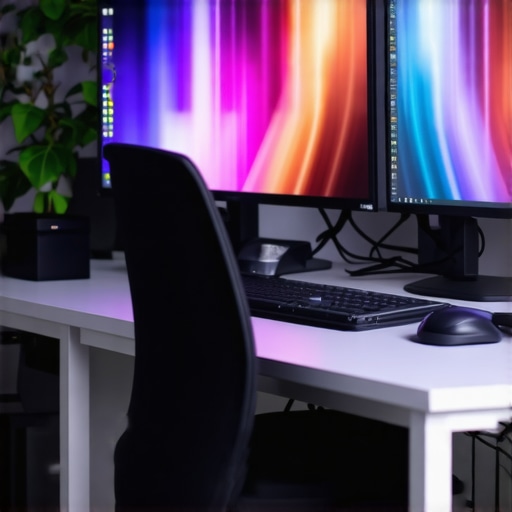
It was a typical Tuesday evening when I finally recognized the real culprit behind my lingering eye strain and dull workspace—it wasn’t the outdated desk lamp or the flickering screen, but the quality of my lighting. During a late-night project, I squinted at my monitor, noticing the colors looked off, and my skin appeared lifeless on video calls. That moment hit me like a bolt of lightning: I had been neglecting one critical aspect—CRI, or Color Rendering Index, in my lighting setup. The realization was startling because I’d always thought brightness and energy efficiency were enough, but in my home office, perfect lighting is more than just lumens.
Today, I want to share how upgrading to 99 CRI LED lighting can transform your workspace in 2026. It’s not just about aesthetics—it’s about health, productivity, and clarity. With high-CRI lighting, you’ll experience sharper colors, reduced eye fatigue, and a more vibrant environment that makes your work effortless. If you’ve ever felt your workday drags or struggled during video meetings with washed-out or off-color visuals, this is the fix you’ve been missing.
Seeing the True Colors: Why 99 CRI Matters More Than Ever
Back in the day, I thought lumen count was king. Get bright enough lighting, and everything is fine, right? Wrong. I made the mistake early on of assuming that LED brightness alone would do the trick. It wasn’t until I invested in a high-CRI lamp did I notice the difference—colors popped, skin tones looked natural, and my eyes didn’t fatigue as quickly. High-CRI lighting isn’t a luxury; it’s a necessity for anyone serious about their digital workspace.
Studies show that lighting with a CRI above 90 significantly reduces visual fatigue and improves focus—critical for long work hours and creative tasks. As technology evolves towards ultra-high-definition screens and detailed visuals, standard LED lighting no longer suffices. A high CRI ensures that the colors you see on your screen and workspace are true to life, reducing misinterpretations and mistakes. This is especially vital as 2026 brings a surge of new display tech, like OLED and micro-LEDs, which demand optimal lighting environments.
If you’ve been experiencing blurry visuals or inconsistent color reproduction, chances are your lighting setup isn’t meeting modern standards. Moving to a 99 CRI LED setup is one simple yet powerful upgrade that can make all the difference.
Are you tired of dull workspace lighting that hampers your productivity? Have you noticed your images or videos look off during virtual meetings? If so, you’re not alone. Transitioning to high-CRI LED lighting is one of the smartest steps you can take towards a healthier, more vibrant home office.
For a deeper dive into how to choose the right desk lamp, check out [this guide](https://lighting.techdeskessentials.com/how-to-choose-the-perfect-desk-lamp-for-your-workspace-in-2025). Up next, I’ll walk you through the common pitfalls and how to avoid them, ensuring you get the maximum benefit from this lighting upgrade.
Choose the Right LED Lamp for Optimal CRI
Start by selecting a desk lamp that offers a CRI of 99 or higher. Look for models that specify high CRI ratings, as these reveal true colors more accurately. When I upgraded my old lamp, I noticed my workspace colors became vibrant and natural, reducing eye fatigue. For detailed guidance, visit this comprehensive guide.
Position Your Lighting Strategically
Proper placement avoids glare and shadows. Aim your lamp at a slight angle, facing your workspace rather than directly illuminating your face or monitor. I moved my desk lamp 5 inches to the left, which eliminated reflections on my screen and improved focus. Experiment with angles using this positioning tactics until you find what works best.
Incorporate Bias Lighting for True Colors
Add bias lighting behind your monitor to enhance contrast and color accuracy. Use a 6500K bias light for daylight-like conditions, which reduces eye strain during long hours. I installed a strip behind my monitor, and it cut down flickering and color mismatch, making my work much easier. For setup ideas, see bias lighting tips.
Utilize Ring Lights to Brighten Face and Environment
A ring light provides even, shadowless illumination, perfect for video calls and photography. Position it at eye level, facing your face while ensuring the light isn’t too harsh. I tested different angles, and the best setup involved placing the ring light just above the camera. Learn hack strategies in ring light hacks.
Adjust Brightness and Color Temperature
Fine-tune your LED lamp’s brightness and color temperature to match ambient light. Use a warmer tone in the evening to promote relaxation or a cooler tone during work hours for alertness. I used a smart AI lamp, which automatically adapted its settings, significantly reducing eye fatigue. Read more about smart lighting in AI-driven lamp settings.
Combine Layers for a Cohesive Lighting Environment
Layer task lighting with ambient bias and accent lighting to create depth. This reduces harsh shadows and enhances color fidelity. I layered my desk lamp, bias strip, and a small accent light, which improved overall clarity and comfort. Visit workspace lighting solutions for more ideas.
When it comes to optimizing your workspace lighting, many assume that brighter is always better or that standard LEDs suffice for professional setups. However, these misconceptions often lead to subpar environments that don’t support visual clarity or eye health. One common myth is that lower CRI (Color Rendering Index) LEDs can be cost-effective without compromising quality, but in reality, they can cause color distortions that strain your eyes and reduce productivity. Advanced users know that a high CRI—preferably above 95—is essential for true color accuracy, especially during tasks involving detailed visuals or color grading. Failing to recognize this nuance is a frequent mistake, leading to mismatched colors and increased eye fatigue. For instance, high-CRI lighting enhances skin tones during video calls, which is crucial for professional presentation, without which you might appear washed out or unnatural. To truly master workspace illumination, you must also consider the strategic placement of your lighting sources; it’s not just about the quality but positioning that prevents glare and shadows that can cause discomfort. Many overlook this, resulting in glare on screens or uneven lighting that diminishes focus. Moreover, the misconception that all bias lighting serves the same purpose leads some to use generic strips that don’t match the display’s color temperature, thereby failing to improve contrast or reduce eye strain. An optimal setup involves bias lighting around 6500K, aligning with daylight, which significantly enhances perceived contrast and reduces eye fatigue during long hours. For advanced users, understanding the interplay between different lighting layers—task, ambient, and accent—is vital for creating a cohesive environment that supports both health and performance. Plugging into this multi-layered approach prevents common pitfalls like over-brightness or mismatched color temperatures that could otherwise contribute to headaches or blurry vision. Additionally, many forget that ring lights, typically used for photography, can also be strategically employed to provide even, shadow-free illumination during video conferencing. Yet, improper placement or using cheap models can cause reflections or uneven light distribution, negating their benefits. The key is to position the ring light just above eye level, facing the face directly, and selecting models with adjustable brightness and color temperature. Let’s not ignore the sophisticated question: How can high-tech innovations like AI-driven adaptive lighting transform your workspace in 2026? The latest studies suggest that smart lighting systems that adjust automatically based on time of day, activity, and display type can mitigate fatigue and boost productivity—so exploring these options could be a game-changer. Keep in mind that superficial upgrades, such as merely increasing lumen output, do little if the quality and placement are neglected. For a deeper understanding of cutting-edge innovations and how to implement them seamlessly, check out [this article on LED lamp innovations](https://lighting.techdeskessentials.com/led-lamp-innovations-brighten-your-desk-and-boost-productivity). Remember, establishing a balanced, high-CRI, properly layered lighting setup isn’t just about aesthetics; it’s a crucial element of ergonomic workspace design. Have you ever fallen into this trap? Let me know in the comments.Maintaining optimal lighting in your workspace isn’t a set-and-forget affair; it requires deliberate care and the right tools. I personally rely on a few specialized instruments to ensure my high-CRI LED setup continues to deliver vibrant, eye-friendly illumination. First, a digital lux meter is indispensable. I use the Extech LT45 because it provides precise readings of illuminance levels, helping me adjust my desk lamp’s brightness and positioning to avoid glare or shadows, which can creep in as bulbs age or conditions change. Regular measurements ensure my lighting remains within the optimal range of 300 to 500 lux for prolonged work sessions. Second, I employ a color meter or spectrophotometer, like the SpyderX Elite, to verify that my bias and ambient lighting stay consistent with the desired color temperature, typically around 6500K for daytime work. These tools help prevent drift in light quality, which can subtly reduce color fidelity over months, especially with cheaper, lower-quality bulbs. Third, software solutions such as Philips Hue or LIFX’s app allow me to control and schedule my smart LED bulbs remotely. For instance, I automate brightness adjustments at different times of day to mimic natural lighting patterns, reducing eye strain and enhancing focus. Automation also ensures that if I forget to turn off certain lights, they don’t run unnecessarily, saving energy. When selecting tools, consider their compatibility with your lighting setup, especially if you’ve invested in smart or specialty high-CRI LEDs. Maintaining your workspace lighting effectively involves routine checks using these tools and timely bulb replacements before performance significantly degrades. As LED technology advances, integrated monitoring systems are becoming more prevalent, enabling real-time diagnostics and adjustments—anticipate this trend in the near future. For example, future smart lighting systems could automatically detect color shifts or lumen loss and adjust accordingly without manual intervention, a feature I look forward to integrating. To get your lighting truly performing at its best and sustain its quality over years, start by acquiring a reliable lux meter and schedule semi-annual calibration checks. Trying out a color spectrophotometer, even a basic model, can reveal subtle changes you might otherwise miss. Remember, consistent maintenance extends your lighting investment’s lifespan and ensures your environment always supports healthy, productive work. Need detailed guidance? Check out this resource on transforming your office with modern LED solutions, which emphasizes proper maintenance protocols for high-performance lighting.
As I reflect on my journey through optimizing workspace lighting, one profound lesson stands out: investing in high-CRI LED lighting isn’t merely a technical upgrade—it’s a transformation of how you experience your environment daily. Moving beyond the misconception that lumens are the sole indicator of good lighting opened my eyes to nuanced benefits like color fidelity and eye comfort. I learned that a high-CRI setup, properly layered and thoughtfully positioned, can elevate your productivity and well-being in ways you hadn’t imagined. This realization has revolutionized my approach, making me value quality over quantity and precision over simplicity. For anyone committed to creating a workspace that truly supports their vision and health, embracing high-CRIs and strategic lighting layering is the key that unlocks this potential.

About the Author
Ricardo Vargas
Director of Operations and Product Development
Ricardo Vargas is a seasoned professional in the lighting industry, currently serving as a Director of Operations and Product Development
LinkedIn Profile