
It was late evening, and I was finally settling into my workspace after a long day. As I glanced at my computer screen, a sharp glare suddenly cut through the dim ambient lighting, making me squint and grimace. I realized my old desk lamp was casting harsh shadows, and the bright screen was glaring back at me, giving me that unmistakable headache I’ve come to dread. That frustrating moment sparked a lightbulb idea—there had to be a better way to tame this glare and protect my eyesight without breaking the bank.
Why Screen Glare Can Ruin Your Productivity and Eyesight
Many of us face the same struggle—uncomfortable glare, eye strain, and disrupted focus that come with poorly optimized workspace lighting. During hours of work or video calls, this glare isn’t just an annoyance; it can severely impact your productivity and even lead to long-term eye health issues. From personal experience, I learned that simply increasing ambient lighting wasn’t enough. Instead, what made a real difference was adding the right kind of bias lighting — a subtle glow behind my monitor that balanced the screen’s brightness and reduced eye fatigue.
This simple adjustment isn’t just my secret; studies show that bias lighting can significantly improve visual comfort and reduce strain over extended periods (source: Lighting Tech Desk Essentials). The good news is, you don’t need expensive gear or professional setups. Sometimes, all it takes is a small investment—around $25—and a clever placement to regain control over your workspace.
Faced This Problem? You’re Not Alone
Initially, I made the mistake of relying solely on my desk lamp’s brightness, thinking more light meant better focus. But that only amplified the glare and made my eyes tire faster. It was only after experimenting with different positions and adding a simple bias light strip that I finally found relief. Now, I want to share what I discovered so you can avoid the trial-and-error mess I went through. Ready to make your workspace glare-proof? Let’s dive into how a small bias light can transform your 2026 setup.
Selecting the Ideal Bias Lighting Setup
Start by choosing a bias light strip with 6500K color temperature, mimicking natural daylight, to balance your monitor’s brightness. I once tried a generic strip, but after switching to a high-CRI, 6500K bias light from this guide, the difference was night and day—less eye fatigue and more vivid colors.
When installing, position the bias strip behind your monitor, a few inches above the top edge—this creates a gentle glow that reduces contrast fatigue. Avoid placing it directly on your desk surface or too close to your eyes, which can cause unwanted glare. Remember, the goal is to softly illuminate your workspace without over-brightening or causing distraction.
Positioning Your Ring Light for Clarity
Use a ring light placed directly in front of you at eye level, about 30-45 centimeters away, to evenly illuminate your face during video calls. I experimented with different angles and discovered that slightly angling the ring to the left helped reduce shadows on my right side, making my appearance more natural. For comprehensive tips, check out these hacks.
Ensure the light doesn’t reflect off your monitor or glass, which can create annoying glares. Adjust the brightness so it complements your ambient lighting, avoiding overpowering the room’s softer glow. A well-placed ring light enhances clarity without contributing to eye strain.
Choosing a Bright and Flexible LED Desk Lamp
Pick an LED desk lamp with adjustable brightness, color temperature, and height. I found that a lamp with a flexible arm allows me to direct light exactly where I need it, reducing shadows and glare. For guidance on selecting the perfect lamp, see this resource.
Position the lamp so it faces the wall or ceiling rather than directly towards your eyes or monitor. This indirect lighting softens the overall ambiance, minimizing harsh shadows and reflections. During a messy setup session, I moved my lamp around multiple times until I found an angle that eliminated glare and improved focus.
Strategic Arrangement to Minimize Glare and Shadows
Combine these elements thoughtfully: place the bias strip behind your monitor for ambient glow, position the ring light in front for clarity, and adjust your desk lamp for task lighting. Think of your workspace as a stage—each light fixture plays a role in creating the perfect spotlight on your screen and yourself. When I finally arranged my lights this way, I noticed a marked decrease in eye strain and a boost in overall comfort.
Fine-tune your setup by moving lights closer or farther, adjusting angles, and switching on/off different sources until you achieve even, shadowless illumination. For more advanced tricks, explore these height adjustments or these bias lighting tweaks.
Remember, the goal is to mimic natural daylight conditions to reduce strain and create a balanced visual environment—your eyes will thank you after long hours of work or conferencing. With these concrete steps, you can transform a cluttered, glare-prone space into a haven of focus and comfort.
Challenging Common Beliefs About Workspace Lighting
Many believe that brighter is better when it comes to workspace lighting, but this is a misconception that can backfire. Over-illuminating your area, especially with generic high-lumen LED desk lamps, can cause glare, eye strain, and even headaches. Instead, optimizing light quality and placement is key.
Another widespread myth involves bias lighting. While many think any soft glow behind the monitor will suffice, proper bias lighting should match the color temperature of the display and be positioned carefully to reduce contrast fatigue. Incorrect placement or color mismatches can exacerbate eye discomfort rather than alleviate it.
Advanced Mistake: Underestimating the Power of Proper Direction and Color Temperature
For seasoned users, a common oversight is neglecting the importance of directionality and accurate color temperature. Using a lamp or ring light that doesn’t match the workspace’s needs can cause color distortion and fatigue over time. For example, a poorly placed ring light that reflects glare off your monitor can diminish clarity and increase strain.
Studies emphasize the significance of high-CRI (Color Rendering Index) lighting in creating a comfortable work environment, which many overlook. A dual-zone bias lighting setup effectively balances ambient and task lighting, reducing eye fatigue and enhancing visual accuracy. Missteps in these areas are subtle but have profound effects on long-term eye health and productivity.
How to Spot the Nuances in Your Own Setup
Are your lights positioned to minimize shadows without causing reflections? Does your bias lighting match your display’s color temperature? Always measure and adjust your lighting to create a harmonious visual environment. Small tweaks, like raising your desk lamp slightly or changing the angles of your bias strips, can make a big difference.
This is where advanced users differentiate themselves—by inspecting every detail and understanding the science behind effective lighting. Remember, a well-lit workspace isn’t just about illumination—it’s about creating a visual balance that sustains comfort and focus over hours of work. If you’ve ever fallen into the trap of neglecting these nuances, you’re not alone. Let me know in the comments!
By digging deeper into these subtleties, you can avoid common pitfalls and craft a workspace that truly supports your eyes and mind. For more expert insights, explore comprehensive guides on modern LED solutions and bias lighting tricks.
Invest in Reliable, Adjustable Equipment for Long-Term Success
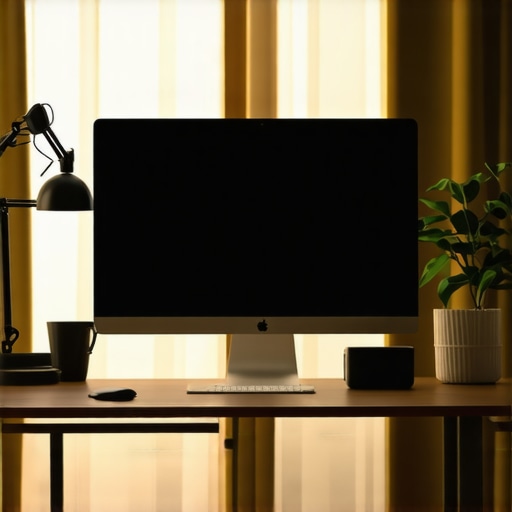
Over the years, I’ve learned that the foundation of a healthy workspace lighting setup isn’t just about the initial choices but ongoing maintenance and smart tools that help me stay ahead of issues. For instance, a high-quality, adjustable desk lamp with multiple color temperature settings allows me to adapt my lighting as natural daylight shifts, reducing eye strain during long work sessions. I personally favor models with auto-dimming sensors that modulate brightness based on ambient conditions, ensuring consistent comfort without manual adjustment.
Why Use a Light Meter and Software for Precision?
To truly optimize my workspace, I rely on a lux meter for measuring light levels accurately, especially when tweaking bias lighting or ring light positions. This ensures I maintain an ideal illuminance (around 300-500 lux for general work), avoiding glare or insufficiency. Additionally, lighting calibration software helps me verify that my color temperatures match display specifications (see here for the importance of precise temperature settings). These tools save me countless hours of guesswork and help prevent long-term discomfort.
Future Trends: Smart, Automated Lighting Control
The evolution of workspace lighting is headed toward AI-integrated systems that automatically adjust color, brightness, and even content-specific lighting scenes based on your activity. Imagine a setup that detects screen glare and dims bias lighting or guides you to reposition your ring light via real-time feedback—this is where innovation is taking us. Already, some smart desk lamps incorporate voice control and automated scene switching, making long-term maintenance effortless.
How do I keep my workspace lighting functioning over time?
Regularly cleaning your equipment minimizes dust accumulation that can affect sensor accuracy or light distribution. Scheduling monthly checks with a lux meter to ensure consistent light levels helps prevent gradual degradation. Also, monitor your equipment’s firmware or software updates—manufacturers often release improvements that enhance reliability and functionality. For example, updating your AI-powered LED lamps can unlock new features, including better adaptive responses and energy efficiency. I highly recommend trying out a combination of an adjustable desk lamp and calibration tools to set a baseline, then periodically revisit these settings to maintain optimal conditions. Integrating these practices ensures your workspace remains a haven of comfort and productivity, long after the initial setup.
What I Wish I Knew Before Tackling Workspace Glare
- One of my biggest realizations was that my efforts to brighten the space only made glare worse—less is often more when it comes to lighting.
- Proper placement of bias lighting behind the monitor changed everything, reducing eye fatigue in ways I never expected.
- Investing in a high-quality, adjustable desk lamp with auto-dimming features paid off long-term, saving my eyes during marathon work sessions.
- The subtle difference of matching my bias lighting’s color temperature with my display’s made a tangible impact on visual comfort.
- Ceasing to rely solely on overhead lights and adopting layered lighting created a balanced environment that supports focus and relaxation.
Tools that Transformed My Visual Setup
- My go-to resource is this guide—it helped me select an adjustable desk lamp tailored to my needs.
- The lux meter I use from this source ensures consistent, optimal light levels, preventing over- or under-illumination.
- Lighting calibration software has become invaluable in matching my display’s color temperature, avoiding eye strain caused by mismatched hues.
- Smart LED lamps with AI integration from this platform automate adjustments, maintaining visual comfort effortlessly.
Your Next Step Toward a Better Workspace
Empowering yourself with the right knowledge and tools can turn your workspace into a sanctuary of focus and eye health. Don’t hesitate—small adjustments today can lead to a more comfortable tomorrow. Dive into these resources and start transforming your lighting setup now! Have you ever struggled with fine-tuning your workspace lighting? Share your experiences below and let’s learn together.

About the Author
Ricardo Vargas
Director of Operations and Product Development
Ricardo Vargas is a seasoned professional in the lighting industry, currently serving as a Director of Operations and Product Development
LinkedIn Profile
Reading this post really resonated with my own experience with workspace glare. I used to rely heavily on my desk lamp, but found that it only intensified the glare on my screen, causing more eye strain. It wasn’t until I experimented with bias lighting behind my monitor—matching the color temperature to my screen—that I felt a noticeable difference. The concept of using around $25 for a bias strip is such an accessible fix that I wish I’d known about earlier! I’m curious, has anyone found that certain placement or brightness levels of bias lighting work better with specific monitor types or room conditions? It seems that the subtle adjustment of these elements can make or break the comfort level. I’d love to hear other tips or setups that have worked well, especially for those working in smaller or less well-lit spaces. Balancing ambient light with task lighting truly helps keep visual fatigue at bay, and I believe this layered approach is key to long-term eye comfort.