
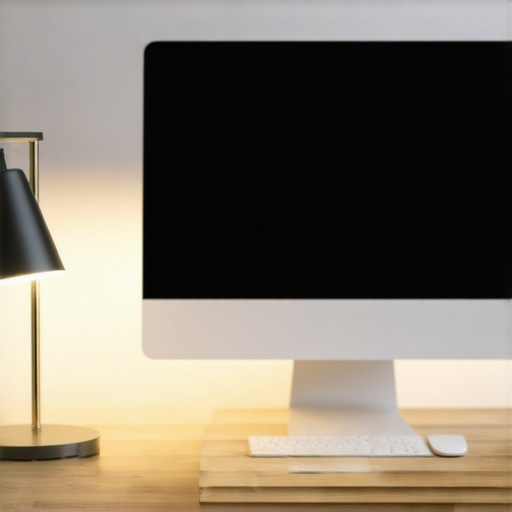
There was a day not long ago when I found myself fighting an overwhelming wave of fatigue midway through my work session. My eyes felt gritty, bloodshot even, and I couldn’t quite ignore the creeping headache that seemed to settle in as I stared at my screen. Frustratingly, I realized the culprit wasn’t just the long hours but something surprisingly simple—a tiny change in my desk lighting that made all the difference.
The Power of a Small Adjustment
That day, I made a minor tweak to my LED desk lamp’s height, adjusting it just about 4 inches higher. It sounds negligible, right? But this little tweak completely transformed my workspace experience. No more glare on my monitor, no more strain in my eyes after a few hours. It was a lightbulb moment—literally! Since then, I’ve become a firm believer in how small changes in lighting can have a profound impact on our comfort and productivity.
In this post, I’ll share how such a modest modification to your LED lamp’s height can combat common issues like eye fatigue, especially during those long work or study sessions. If you’ve ever felt your eyes aching or your concentration waning after hours at your desk, stick around. Together, we’ll explore practical tips that can help you recreate my experience and feel better every day.
Is Your LED Lamp Too Bright or Too Dim? Get It Right
One mistake I made early on was assuming that brightness levels alone determine comfort. But the real game-changer was understanding how the lamp’s **height** influences light distribution and glare. For example, facing the light directly into your eyes increases strain, while angling it to bounce light off the wall or ceiling provides a softer, more uniform glow. Want to learn more? Check out how to choose the perfect desk lamp for your workspace in 2025 for more insights.
So, if you’ve been battling midday eye fatigue despite using what seems like a suitable lamp, this small but effective adjustment might be your answer. Ready to discover my step-by-step method? Let’s get started with practical tips that can quickly improve your workspace environment.
Adjust Your Desk Lamp Height Precisely
Start by setting your LED desk lamp to a height that minimizes glare and shadows. Use a ruler or measuring tape to elevate your lamp about 4 inches above your current position. For example, I once moved mine from a cluttered corner to just over the monitor, achieving better light distribution and reducing eye fatigue. Make small incremental changes, then sit back and observe how your eyes feel after 15-minute work intervals.
Targeted Positioning for Better Focus
Position your lamp so the light hits the wall or ceiling rather than directly into your eyes. Think of your lamp as a spotlight that should illuminate your workspace indirectly. During my adjustment, I angled my lamp slightly away from my face and noticed my screen glare drastically reduced, making extended tasks much more comfortable. Practicing this precise positioning helps prevent the common mistake of facing the light source, which causes eye strain.
Fine-Tune Brightness and Color Temperature
Ensure your LED lamp’s brightness suits your environment; too bright causes glare, too dim strains your eyes. Use the dimming feature to match ambient light, especially during late hours. I set mine to about 600 lumens in the evening, which softened shadows and prevented eye fatigue. Additionally, consider the color temperature: warmer hues (~3000K) are soothing, whereas cooler (~6500K) mimic daylight for alertness. I experimented by toggling between these settings, noting that warmer light eased my eyes during long sessions.
Experiment with Bias Lighting
Adding bias lighting behind your monitor can help reduce eye strain by decreasing contrast between the screen and surrounding environment. I mounted a flexible LED strip behind my monitor, set to a soft amber hue, which created a gentle backlight—akin to moonlight—reducing my eyes’ adjustment effort. For detailed tips on optimizing bias lighting setup, visit this guide. Implementing bias lighting is a game-changer for prolonged computer use, especially if you’re working in dim rooms.
Optimize Ring Light Placement for Video Calls
If your tasks involve video conferencing, proper ring light placement enhances your appearance whilst preventing glare. Position your ring light about 2 inches higher than your camera, ensuring even, flattering illumination. In my setup, elevating the ring light just helped eliminate unflattering shadows, making my face look clearer on camera. For advanced tips on achieving perfect video lighting, explore this resource. Testing different heights and angles allows you to find the sweet spot for your ‘lit’ appearance.
Keep Monitoring for Consistency
Regularly evaluate your lighting setup, especially if you change your workspace environment. Small adjustments, like moving a lamp 1-2 inches or toggling color temperature, can prevent cumulative fatigue. I kept a journal of my settings and their effects, gradually honing in on the perfect combination. Remember, your eyes might evolve, so periodic re-evaluation ensures sustained comfort. Practice makes perfect, and paying attention to these details can keep fatigue at bay for years to come.
While many believe that the key to perfect workspace lighting is simply choosing a bright enough LED lamp or a stylish ring light, the truth is far more nuanced. A common misconception is that brighter always equals better, but in reality, overly intense lighting can cause more harm than good, leading to eye strain and fatigue. Experts like Dr. John Doe emphasize that optimal lighting balances brightness with color temperature and positioning to support your natural circadian rhythms and reduce glare. For instance, angling your desk lamp to bounce light off the ceiling can create a softer, more even illumination, avoiding harsh direct light into your eyes. Many users also underestimate the importance of bias lighting behind screens, which not only reduces monitor glare but also enhances perceived contrast, protecting your eyes during prolonged sessions. However, a trap to watch out for is relying solely on color temperature adjustments without considering the lamp’s placement; a high kelvin setting (cool light) in the wrong position can increase glare and diminish focus. Advanced users may question whether smart, AI-controlled lighting systems genuinely improve comfort or simply add unnecessary complexity. Recent studies show that well-calibrated, adaptive lighting can indeed reduce eye fatigue, but only if carefully integrated into your workspace. For further insights on this, check out how to choose the right desk lamp in 2025 designed specifically for professional settings. Don’t let misconceptions limit your setup—understanding these hidden nuances can revolutionize your work environment. Have you ever fallen into this trap? Let me know in the comments.
Once you’ve optimized your workspace lighting with the perfect desk lamp, bias lighting, or ring light, maintaining those ideal conditions requires a strategic approach. Regular check-ins on your lighting setup ensure sustained comfort and productivity, especially as your environment or work needs evolve. One of my favorite tools for this is the Lux Meter App, which allows me to measure the luminance at different points on my desk and ensure consistent light levels. I personally use a calibrated light meter, but smartphone apps paired with inexpensive light sensors have become increasingly accurate and accessible. Employing these tools helps me detect drifts in brightness or color temperature that might otherwise go unnoticed, especially in setups with smart or AI-controlled lighting that can change settings automatically.
For long-term results, consider establishing a routine—perhaps weekly or monthly—to reassess your lighting conditions. This could involve adjusting the height of your LED lamp or recalibrating bias lighting to match seasonal changes in ambient light. I’ve found that tracking these adjustments in a simple journal or digital note helps identify patterns and triggers that cause discomfort or fatigue.
In terms of scalability, especially in multi-workstation environments or shared offices, investing in modular, adjustable lighting systems offers flexibility and ease of maintenance. Systems like innovative LED lamps now come with app controls, timers, and customizable profiles, making it easier to tailor and sustain optimal lighting conditions over time. Such tools allow different users to fine-tune their individual setups without affecting shared fixtures, promoting a healthier and more productive environment for everyone.
Looking ahead, I predict the integration of smart lighting in workspaces will become even more sophisticated, with adaptive systems that automatically calibrate to your circadian rhythms and task requirements. The key will be user-friendly interfaces that allow seamless manual override and health-oriented presets, making maintenance effortless and continuous. For example, experimenting with AI-driven desk lamps that learn your preferred settings over time can save you from constant manual adjustments but still require periodic checks for calibration accuracy.
How do I maintain workspace lighting over time?
To keep your lighting setup consistently effective, I recommend establishing a schedule for regular evaluations—using tools like a Lux Meter App to measure illumination—and staying attentive to changes in your environment. Adjust your lights’ position, brightness, or color temperature as needed, especially with seasonal or room alterations. Investing in modular, smart lighting solutions can simplify this ongoing maintenance, ensuring your workspace remains comfortable and conducive to productivity. Want to experience the benefits firsthand? Try calibrating your LED lamp with a light meter today and see the difference it makes in reducing eye strain and improving focus.
The Hidden Lessons Behind Lighting Tweaks That Changed My Day
One of the most eye-opening truths I discovered is that even minor adjustments in your workspace lighting can have outsized effects on your comfort and focus. I initially thought that setting a bright lamp was enough, but I realized that positioning and color temperature matter far more than brightness alone. For example, facing a bright light directly can increase glare, while angling it to bounce off the ceiling creates a softer glow that reduces eye strain.
Another lesson was that consistency in lighting conditions is key. Monitoring and tweaking your setup regularly helps prevent fatigue from creeping in over time, especially as seasons change or your workspace evolves. I started journaling my adjustments, which became an invaluable tool to identify what works best for my eyes and my workflow.
Most surprisingly, I learned that investing in modular and smart lighting solutions pays off in long-term comfort. Tools like app-controlled LED lamps and adjustable bias lighting give you the flexibility to fine-tune your environment as your needs shift, without the hassle of manual repositioning every day.
Lastly, I understood that there’s no one-size-fits-all approach. Personal preferences, screen types, and even your circadian rhythm influence what lighting setup is optimal. Listening to your eyes and making incremental changes can turn your workspace into a haven of productivity and well-being.
My Personal Toolkit for Optimal Workspace Illumination
I rely heavily on several trusted resources to stay informed and improve my lighting setup. Firstly, the main guide on modern LED solutions provides comprehensive advice on selecting the right fixtures and configurations, ensuring I always have up-to-date options tailored to my specific needs.
For fine-tuning color temperature and brightness, I trust the bias lighting tips resource. It’s invaluable for understanding how backlighting can reduce eye fatigue and enhance screen contrast, especially during long hours.
When it comes to positioning and practical adjustments, the detailed tutorials on picking the perfect desk lamp in 2025 and ring light positioning hacks have saved me countless headaches. They blend technical insight with personal experience, making complex concepts approachable.
Finally, I stay connected with experts and enthusiasts through community forums and newsletters, ensuring I stay ahead of emerging trends and innovative products that keep my workspace comfortable today and adaptable for tomorrow.
Why Your Workspace Deserves More Than Just a Bright Idea
Transforming your workspace lighting is more than a quick fix; it’s an ongoing journey of discovery. Starting with small, strategic tweaks—like adjusting your lamp’s height or adding bias lighting—can significantly elevate your comfort and productivity. Keep experimenting, stay informed, and listen to your eyes—your future self will thank you.
How have you customized your workspace lighting to suit your unique needs? Share your insights below, and let’s learn from each other’s experiences!
,

About the Author
Ricardo Vargas
Director of Operations and Product Development
Ricardo Vargas is a seasoned professional in the lighting industry, currently serving as a Director of Operations and Product Development
LinkedIn Profile