
It was late afternoon, and I was already squinting at my screen, feeling that familiar dull ache creeping into my eyes. As I reached for the nearest desk lamp, I realized I’d been in the same position for hours, eyes strained and head cloudy. That moment hit me hard—something had to change. If you’ve ever experienced that sudden flash of realization during a long work session, you’re not alone. Many of us overlook the subtle factors causing eye fatigue, especially the way our workspace lighting interacts with screens. Today, I want to share a simple yet powerful hack that transformed my entire approach to eye comfort during work.
Why the Way We Light Our Desks Might Be Sabotaging Our Eyes
Our eyes are incredibly sensitive to light, and the glow from screens combined with poor ambient lighting can lead to fatigue, headaches, and even long-term eye issues. What I didn’t realize early on was that the problem wasn’t just the screen brightness but the surrounding lighting environment—specifically, how the light interacts with my display and workspace. My mistake was ignoring the importance of strategic bias lighting and relying only on traditional desk lamps or ring lights that cast harsh shadows or create unwanted reflections. Research from the American Optometric Association highlights that proper workspace lighting not only improves comfort but also enhances productivity, especially during those marathon workdays.
In my case, I was guilty of placing my desk lamp directly overhead, which caused glare and uneven lighting—ultimately making my eyes work harder. It was a rookie mistake I made before discovering the behind-the-monitor glow hack. Since then, I’ve experimented with different lighting techniques, including bias lighting that softly illuminates the background around my monitor without adding glare. This subtle change has made a noticeable difference in reducing eye strain and maintaining focus.
Feeling skeptical? You’re probably wondering if a simple lighting tweak can really make that much difference. Well, I’d argue that small adjustments—like adjusting your bias lighting or repositioning your desk lamp—can have a profound impact. Curious? I’ll guide you through easy, practical steps to implement this game-changing hack. Ready to say goodbye to those afternoon headaches? Let’s dive into the details.
Facing this problem yourself? Many initially doubt that small lighting changes can help—and I did too. But after years of trial, error, and a few setbacks—like overlooking the importance of avoiding direct light on screens—I finally found what works. Staying skeptical is natural, but trust me, your eyes will thank you for giving this approach a shot.
Positioning Your Desk Lamp Effectively
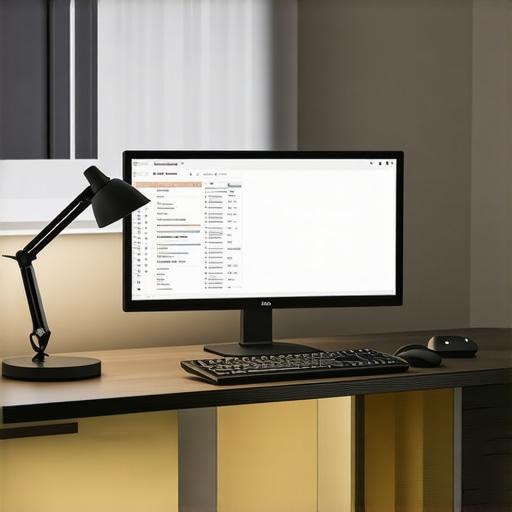
Start by placing your desk lamp behind or to the side of your monitor, not directly in front or overhead. I once tried positioning mine directly above—causing glare on my screen and reflections on my glasses. Repositioning it to the side created softer shadows and reduced eye strain. Use the dual-zone bias lighting technique to add gentle backlighting, improving contrast and reducing load on your eyes.
Avoid Direct Lighting on Screens
Ensure your light source doesn’t create reflections or glare on your monitor. I hung a small, matte-finish shield on my desk lamp to diffuse harsh light, which significantly cut down glare during long work hours. Think of it like shielding your eyes from harsh sunlight—diffusers or matte shades can be your best friends. For more ideas, see this quick fix for desk shadows.
Implementing Bias Lighting for a Softer Glow
Bias lighting is placed behind your monitor, providing a gentle backlight that reduces eye fatigue. I started with a simple LED strip, aligning it to shine toward the wall behind my monitor, creating a halo effect. This halved my eye strain and improved screen contrast. For perfect application, check out these bias lighting tips. Position the strip about 4 inches above the top of your monitor using proper placement tactics to avoid flickering or uneven lighting.
Choose the Right Light Temperature and Brightness
Ideally, use lights around 4000K to 5000K—a neutral white that mimics natural daylight. During my setup, I switched to a 4500K LED strip, which reduced yellowish tones and enhanced clarity. Remember, too bright can cause discomfort; too dim won’t help. Adjust brightness to match ambient lighting—test by sitting comfortably and gauging if your eyes feel relaxed, not strained. For specific models, review the best bias lighting for streaming and work.
Fine-Tune Your Lighting Angles
Angles matter. Position your lamps at about 45 degrees from your line of sight to minimize glare and shadows. I used a small protractor to get the angle right, aiming my lamp slightly above eye level. This positioning ensures the light evenly illuminates my workspace without causing reflections. A quick tip: avoid aiming your light directly at the monitor or you’ll create distracting glare. For more on this, see advanced positioning tactics.
Regularly Assess and Adjust
Lighting isn’t a set-and-forget deal. I check my setup weekly, adjusting brightness and angles as seasons change or my workspace layout shifts. Use your hand or a light meter app to measure luminance—aim for 300-500 lux on your working area. Small tweaks can prevent cumulative eye strain. Remember, proper workspace lighting is about creating a seamless environment that minimizes effort for your eyes, keeping you comfortable and focused throughout your day.
 Many believe that choosing a popular ring light or an LED desk lamp alone guarantees optimal workspace lighting, but this is a common misconception. In reality, most users overlook critical nuances that significantly impact eye comfort and productivity. For example, focusing solely on brightness levels without considering color temperature can ironically worsen eye strain. High Kelvin values (above 6000K), often marketed as “daylight,” can cause discomfort if not balanced properly with ambient lighting. Conversely, overly warm light (below 3000K) might create a cozy environment but reduce visual clarity, ultimately leading your eyes to work harder.
Another subtle pitfall is neglecting the importance of light directionality. Many users position their desk lamps or ring lights centered or directly in front, which can produce harsh shadows and unflattering facial lighting. Instead, angling your light sources at approximately 45 degrees and behind your monitor helps diffuse shadows and softens facial features, creating a more comfortable visual environment. This fine-tuning often goes unnoticed but can dramatically reduce fatigue.
A prevalent myth is that brighter always means better. However, exceeding 500 lux in your immediate work area without proper diffusion can cause glare and flickering, triggering headaches. Adjusting brightness to comfortable levels, tailored to your tasks, is a nuanced aspect often ignored. Incorporate dimming controls or layer multiple light sources like bias lighting behind your monitor, which has been shown to improve contrast and reduce eye strain—more on that at this guide.
Beware the trap of uniform lighting—people frequently forget that contrast is essential. A balanced combination of ambient, task, and accent lighting creates depth and reduces the strain caused by glaring or overly dark zones. For example, a study published in the Journal of Environmental Psychology emphasizes that varied light intensity fosters better visual comfort and mental focus.
For advanced users, mastering the subtle interplay of these factors involves understanding your specific workspace needs and eye sensitivities. It’s worth experimenting with different setups, angles, and timing—especially during seasonal shifts—since natural light varies significantly. A professional tip is to periodically assess your environment with a lux meter app; maintaining 300–500 lux on your work surface minimizes fatigue.
In summary, the key to truly effective workspace lighting extends far beyond selecting conventional gear. It requires attention to nuances such as color temperature, light angle, contrast levels, and layered lighting techniques. Overlooking these details is a trap many fall into, but with patience and a bit of experimentation, you can craft an environment that enhances both comfort and productivity. Have you ever fallen into this trap? Let me know in the comments.Maintaining the perfect lighting setup for your workspace isn’t a one-time task; it requires deliberate tools and methods to ensure consistent comfort and productivity. First, invest in a quality digital lux meter to regularly measure luminance levels. I personally use the Extech LT300 Light Meter because it provides precise readings, enabling me to adjust my bias lighting and desk lamps accurately. This small device helps prevent eye strain by maintaining the recommended 300-500 lux range, especially as natural light changes throughout the day.
Alongside measuring tools, software like f.lux or Windows Night Light can be invaluable. These programs adjust your screen’s color temperature automatically, aligning it with your ambient lighting and helping your eyes adapt seamlessly over hours of work. I set f.lux to transition gradually, which significantly reduces harsh adjustments and minimizes fatigue. Combining this with well-calibrated physical lighting creates a harmonious environment that supports long-term eye health.
How do I maintain workspace lighting over time?
Consistency is key. Periodic retuning of your lights ensures they meet your evolving needs. For instance, seasonal shifts might require repositioning bias strips or upgrading to brighter LEDs. Regularly cleaning your fixtures and diffusers prevents dust buildup that can dim light output and contribute to glare. Additionally, keep a log of your adjustments— noting brightness levels, angles, and color temperatures— so that you can identify trends and optimize your setup proactively.
Implementing smart lighting solutions can simplify this process. Smart LED bulbs, like Philips Hue, allow remote control and scheduling, ensuring your workspace remains optimally lit without manual intervention. They can be programmed to adjust brightness and temperature throughout the day, aligning with your circadian rhythm and enhancing focus. Leading lighting engineers suggest that integrating intelligent controls not only saves time but also maintains consistent lighting quality, saving your eyes from unnecessary strain over the long haul.
Looking to future-proof your workspace? As LED technology advances, expect more integrated systems that automatically calibrate based on ambient conditions, utilizing AI to adapt lighting for maximum comfort and efficiency. For now, supplement these innovations with tools like lux meters and smart bulbs to keep your environment tailored and healthy. Take the next step by setting up a regular check-in with your lighting system—small, consistent tweaks can lead to significant long-term benefits for your vision and productivity.After immersing myself in countless experiments and learning from the imperfect setups I once relied on, I uncovered some profound truths about workspace lighting that many overlook. The biggest lesson? Even small tweaks—such as angling your desk lamp just right or choosing the optimal color temperature—can drastically impact your eye health and productivity. I realized that the real magic happens when you consider the interplay of ambient, task, and bias lighting rather than focusing on a single solution. This journey taught me to listen closely to my eyes’ responses, adjusting my environment proactively rather than reactively. If you’re serious about protecting your vision while working long hours, these insights will transform your approach and keep you ahead of eye fatigue before it sneaks up on you.

About the Author
Ricardo Vargas
Director of Operations and Product Development
Ricardo Vargas is a seasoned professional in the lighting industry, currently serving as a Director of Operations and Product Development
LinkedIn Profile