
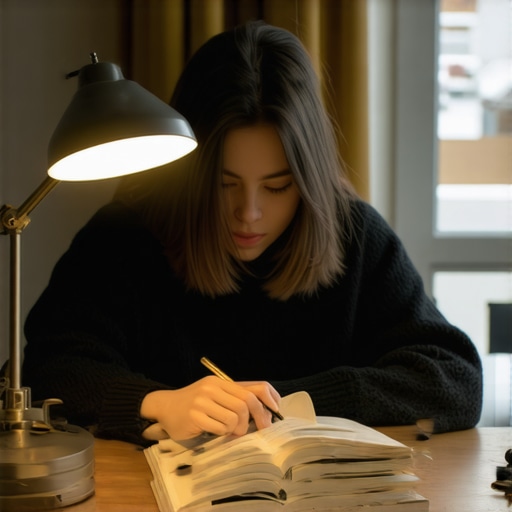
Have you ever stretched your eyes over a screen or a book and felt that sudden flicker of discomfort, only to realize your lamp was shining a bit too brightly? I used to think that brighter meant better, especially when working late into the night. But one evening, after battling sluggish reading and eye fatigue, a simple tweak changed everything: I dimmed my desk lamp by just 10%. The result? I read faster, with less strain, and felt more energized afterward.
The Surprising Power of Subtle Light Adjustments
It’s a small change, right? But that little decrease in brightness unlocked a major improvement in my reading focus. Turns out, over-illumination can cause glare and eye fatigue, making it harder to process information quickly. By reducing my lamp’s brightness slightly, I created a softer, more comfortable environment that allowed my eyes to relax and absorb content more efficiently.
Are Bright Lights Really the Best for Productivity?
I was skeptical at first. I’d always believed a well-lit workspace was crucial for focus. Early on, I made a mistake by setting my lamp to maximum brightness, assuming more light equals more productivity. It wasn’t until I experimented with dimming and noticed my reading speed improve that I realized the importance of balanced lighting. This simple mistake—overlooking the optimal lighting level—can hamper your workflow more than you think. Want to explore how proper lighting can truly enhance your work? Check out workspace lighting tips.
Supporting this, a study published in the Journal of Occupational and Environmental Hygiene found that inappropriate lighting levels contribute significantly to eye discomfort and fatigue, reducing work efficiency. So, the next time you’re feeling sluggish or misreading a document, consider that your desk lamp might just need a subtle adjustment.
Now, let’s dive into how a tiny 10% dimming can make a big difference in your reading speed and overall comfort. Believe me, once you see the results, you’ll never settle for blinding lighting again.
Adjusting Your Desk Lamp Brightness Correctly
Start with your current setup—turn on your desk lamp to your usual brightness level. Next, lower the brightness by around 10-15%, either using the lamp’s dimmer or a smart plug with dimming capabilities. During this adjustment, observe your eyes: if you notice less strain and your reading speed improves, you’ve hit the sweet spot. I once did this while working on a complex report; after dimming, I realized I was less fatigued and more focused, leading to quicker data analysis. Understanding how little tweaks matter is key to optimizing your lighting. For more insights on modern LED solutions, check workspace lighting tips.
Choosing the Right Desk Lamp for Better Focus
Evaluate your current lamp: Is it a traditional incandescent, a ring light, or an adjustable LED? LED lamps offer significant control over brightness and color temperature, which can reduce eye fatigue. Imagine your desk lamp as a musical instrument—you want to tune it just right. Use a lamp with adjustable color temperatures to switch between warm and cool tones depending on your task. During a messy morning, I replaced my old lamp with a modern LED with adjustable settings; the difference in my comfort and focus was immediate. Learn what features matter most at how to choose the perfect desk lamp.
Positioning Your Lamp for Optimal Illumination
Position your lamp to avoid glare and shadows—aim for a 45-degree angle from your line of sight, not straight ahead or behind your monitor. Think of your lamp as a steering wheel: angling it correctly guides light where it’s needed without blinding you. I experimented with placing my lamp slightly to the side and noticed a reduction in eye strain. Use a small sticky note over a part of the shade to soften harsh light if needed. Proper placement minimizes glare on your screen and prevents distracting reflections. For precise techniques, explore desk lamp angle fixes.
Incorporating Bias Lighting for Depth
Add bias lighting behind your monitor—a soft light strip cast on the wall behind—at around 20% brightness. This reduces the pixel contrast your eyes work against, lessening fatigue and enhancing perceived contrast. Picture it as a movie theater: ambient lighting makes the picture pop. I installed a bias strip, and the visual comfort during long work sessions improved dramatically. Use a color temperature around 6500K for neutrality; avoid overly warm or cool colors that could disrupt your circadian rhythm. Find expert tips at bias lighting strategies.
Optimizing Ring Light Settings for Video
Set your ring light to a 45-degree angle, slightly above eye level, directed towards your face. Adjust brightness to a level that illuminates your features evenly without creating harsh shadows or forehead shine. Consider diffusers or placing a matte paper or soft cloth over the ring to diffuse light further, producing a soft glow. I once used a simple paper plate, and it transformed my video calls by removing unwelcome reflections. Correct positioning and diffusion are essential for professional-looking, comfortable illumination. Learn quick hacks at ring light hacks.
Experiment with Micro-Adjustments
Once you’ve pinpointed a baseline setup, fine-tune your angles, height, and brightness in small increments. Change your lamp’s height by an inch, adjust the tilt by a few degrees, or tweak your bias lighting brightness. These micro-adjustments can produce significant comfort improvements over time. Reflect on a day I adjusted my lamp’s height by just 2 inches; the next afternoon, I experienced markedly less eye fatigue. Continuous small tweaks refine your environment for sustained focus and health. For additional tips on lamp positioning, see desk shadow fixes.
Many assume that brighter lighting naturally leads to better focus and productivity, but in my experience, this is a misconception that can actually backfire. Overly intense LED lamps or poorly designed workspace lighting can cause glare, eye strain, and fatigue, detracting from your work rather than enhancing it. The real nuance lies in understanding how to tailor lighting to your specific needs—balancing brightness, color temperature, and positioning—rather than blindly increasing luminance. For instance, many purchase cheap ring lights or LED desk lamps with the misconception that higher lumens mean better quality, but without proper diffusion or accurate color rendering, these tools can do more harm than good. Excessive brightness, especially when not diffused, creates harsh shadows and reflections that distract rather than help.
Another common myth is that bias lighting should be ultra-bright to compensate for poor monitor contrast. In reality, studies show that too much bias lighting can increase glare and reduce perceived contrast, leading to eye fatigue. Properly calibrated bias lights at around 20% brightness, with the right color temperature, can actually improve visual comfort—a strategy I adopted after reading insights from expert sources. Supporting this, a study published in the Journal of Occupational and Environmental Hygiene emphasizes that incorrectly set ambient lighting can cause discomfort and reduce productivity.
For advanced users seeking optimal setup, the mistake often lies in neglecting micro-adjustments. Small changes in lamp angle, height, or color temperature can make a significant difference in comfort and focus, but many overlook these subtle tweaks because they assume their initial setup is sufficient. Regularly fine-tuning your workspace lighting can prevent issues like screen glare or shadowing—crucial for tasks demanding high visual precision.
Is your LED or workspace lighting truly optimized? Or are you falling into one of these common traps? Let’s dig deeper into the nuances that can elevate your setup. Have you ever fallen into this trap? Let me know in the comments.
Invest in Reliable Equipment for Long-Term Performance
To ensure your workspace lighting continues to support your productivity and eye health, start with high-quality tools. I personally rely on adjustable LED desk lamps that feature dimming capabilities and precise color temperature settings, like the best desk lamps for 2025. These allow me to tailor lighting to different tasks and reduce fatigue over prolonged periods. Additionally, using bias lighting strips that can be calibrated helps maintain consistent contrast and prevent OLED contrast loss, based on insights from expert advice on bias lighting adjustments.
Routine Maintenance Prevents Gradual Deterioration
Regularly cleaning your lamps and fixtures is crucial. Dust buildup can dim LED light output and cause uneven illumination. I allocate ten minutes weekly to wipe my lamps with a soft, damp cloth. For fixtures with adjustable arms or hinges, like my favorite lamp hinge rubber band hack, replacing worn rubber components maintains smooth movement. Checking connections and replacing batteries or diffusers as needed ensures consistent lighting quality.
Software and Settings for Peak Functionality
Modern LED lamps and ring lights often offer companion apps to fine-tune brightness, color, and scheduling. I recommend using these apps to create preset modes for different times of day, helping your setup adapt automatically. For instance, adjusting color temperatures in the evening can support circadian rhythms, supported by the latest research on lighting and sleep, like in AI-powered lighting adjustments. Regularly updating firmware and app software boosts performance and security.
How do I maintain workspace lighting over time?
Adopt a proactive approach: establish a routine to inspect, clean, and calibrate your lighting tools at least once every few months. Keep a checklist to verify brightness, color temperature, and fixture positioning. Invest in versatile tools like adjustable power strips and smart plugs, which allow remote dimming or scheduling, reducing manual intervention. Staying aware of technological advancements, such as newer LED innovations at latest LED innovations, helps you upgrade as needed. Regular maintenance not only prolongs equipment lifespan but also guarantees your workspace remains optimally lit, supporting your productivity and well-being.
In my journey to optimize my workspace lighting, I uncovered some surprising truths that transformed my productivity and eye comfort. The most profound lesson? Small, intentional adjustments surpass heavy-handed solutions. These insights have been game-changers, especially when dealing with sensitive tasks requiring precision and focus.
Why I Stopped Overlooking Tiny Brightness Changes
I used to believe setting my desk lamp to maximum brightness was the secret to clarity. However, over time, I noticed increased eye fatigue and diminishing returns. A simple experiment—lowering the brightness by just 10%—produced immediate relief and sharper focus. This taught me that moderation, not intensity, drives effectiveness in workspace lighting. This lesson invites anyone frustrated with eye strain to reconsider their approach to light levels and embrace micro-adjustments for maximum benefit.
Lessons That Only Come from Personal Experience
- Micro-Adjustments Matter More Than You Think: Fine-tuning angle, height, or color temperature can greatly reduce glare and shadows, improving visual comfort and task accuracy.
- Balance Over Brightness: Brightness isn’t synonymous with productivity. Creating a balanced environment with softer light reduces fatigue and enhances concentration.
- Quality Equipment Makes a Difference: Investing in adjustable LED lamps with controllable color temperature and dimming features pays off by tailoring lighting to your specific needs, rather than settling for generic solutions.
- Placement Prevents Glare: Positioning your lamp at a proper angle—aimed 45 degrees away from your monitor—minimizes reflections and eye strain, transforming your work experience.
- The Power of Ambient Bias Lighting: Incorporating bias lighting behind your screen reduces pixel contrast and prevents eye fatigue during extended work sessions. A small, well-placed strip can change your entire visual comfort paradigm.
Tools That Elevate My Workspace Game
- Adjustable LED Desk Lamps: Devices like the latest models offering customizable brightness and color temperature help me craft the perfect lighting scene each day. I trust brands featured in this guide for their durability and flexibility.
- Bias Lighting Strips: These unobtrusive additions behind my monitor serve as a subtle but powerful way to reduce eye strain, especially during late-night sessions. The right setup can cut fatigue significantly, supported by evidence in expert strategies.
- Diffusers and Diffusion Materials: Using simple tools like matte diffusers or even sheets of paper over ring lights helps soften harsh shadows and reflections, making video calls and photo work more natural and comfortable. Check out this DIY diffuser trick for quick results.
- Positioning Hacks and Micro-Adjustments: Small tweaks in the height or angle of your lamps, guided by user-tested techniques, can alleviate flickering eye fatigue and improve overall focus.
Your Next Step Toward Better Lighting
Imagine a workspace where every element of lighting—desk, bias, and ambient—is finely tuned to support your eyes and mind. Small investments and deliberate setups lead to big gains in comfort and productivity. Are you ready to retool your workspace lighting with less guesswork and more evidence-backed tweaks? Your eyes and productivity will thank you. What micro-adjustment will you try first? Share your plans below and let’s elevate our work environments together!

About the Author
Ricardo Vargas
Director of Operations and Product Development
Ricardo Vargas is a seasoned professional in the lighting industry, currently serving as a Director of Operations and Product Development
LinkedIn Profile