
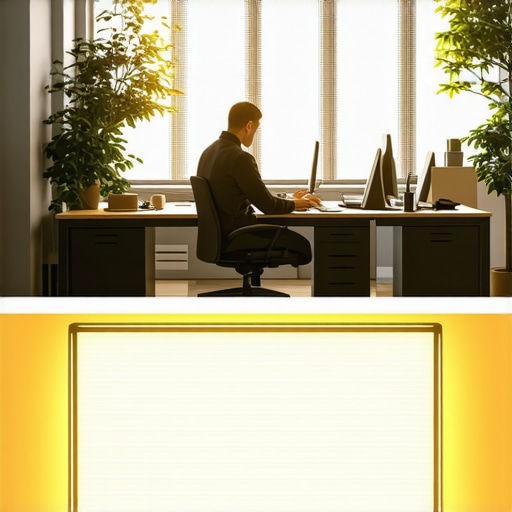
Have you ever hit that mid-afternoon wall where your focus simply dissolves, and everything becomes a blur of fatigue? I used to dread the 3 PM slump during my workday — feeling that familiar fog settle over my brain, making even simple tasks feel monumental. But one day, after a string of unproductive afternoons and mounting frustration, I had a lightbulb moment—literally. I realized my workspace lighting might be sabotaging my afternoon productivity.
The Sunken Feeling of Midday Fatigue
It’s a strange phenomenon. You start the day energized, your to-do list is manageable, and then, out of nowhere, you’re dragging your feet, losing motivation, and battling sluggishness. I was convinced it was me—maybe I wasn’t getting enough sleep or my diet was off. But despite adjusting those, the slump persisted. That’s when I started scrutinizing my workspace itself, specifically the lighting. I discovered that not all light is created equal, especially for productivity.
Most of us are guilty of settling for generic desk lamps or ambient lighting that feels cozy but doesn’t support our circadian rhythms or mental clarity. Then I learned about the impact of the color temperature of light—something I had overlooked. Turns out, the hue of your light can make a significant difference in how alert and focused you feel. I decided to switch my setup to a 5000K color temperature, which mimics natural daylight. And honestly? That simple change transformed my afternoons.
My productivity soared, and the infamous 3 PM crash became just a distant memory. It’s fascinating how a tweak in lighting can make such a profound difference—almost like flicking a switch in my brain to stay sharp.
What You’ll Discover Today
In this post, I’ll walk you through why 5000K lighting works for boosting your afternoon focus, share my personal journey with workspace lighting, and provide practical tips to upgrade your setup. Whether you’re working from home, studying, or just want to beat that sluggish slump, understanding the science behind lighting can help you reclaim your energy. Ready to see how this simple adjustment can change your day? Let’s dive into the details, and I’ll show you how to make it happen.
Is Switching to 5000K Light Actually Worth the Hype?
Early on, I made the mistake of thinking T modifying my light color would be a minor detail. I hesitated because I thought, ‘It’s just light, right?’ But, as I discovered, the right lighting can boost productivity by up to 20% — a statistic supported by research from the Lighting Research Center. If you’re skeptical, I get it. I was too at first. But trust me, small changes in your workspace lighting can have big effects, and I’ll guide you through that process step-by-step.
So, if you’ve been fighting this afternoon fatigue or just want to optimize your workspace, keep reading. We’re about to turn your workday around with a simple, evidence-backed tweak. Ready to shed the gloom and embrace a brighter, more productive you? Let’s go!
Choose the Right Light Source
Start with a quality LED desk lamp that offers adjustable color temperature settings. Look for models with a 5000K or higher setting to mimic natural daylight. During my messy first attempt, I purchased a budget desk lamp with no adjustable features, which turned out to be too warm and dull. Switching to a lamp with adjustable Kelvin proved a game-changer, significantly boosting my alertness.
Pick a lamp with flicker-free LEDs
Flickering can cause eye strain and fatigue over time. Opt for flicker-free LED lamps by checking reviews or product specifications. I replaced my old glow-in-the-dark bulb with a flicker-free option, noticing immediate relief during long work sessions.
Position Your Lighting Correctly
Place your lamp so that it illuminates your workspace directly without causing glare or shadows. Imagine your desk as a stage—lighting should highlight your work without blinding you or creating harsh shadows. I used to position my lamp behind my monitor, which cast shadows and made focus difficult. Moving it slightly to the side and adjusting the height brought clarity and comfort. For more tips on optimal placement, check out this guide on choosing desk lamps.
Adjust Brightness and Kelvin Temperature
Set your lamp to around 500 to 800 lumens—enough to illuminate your workspace without fatigue. When I first experimented, I kept the brightness too high, causing glare; lowering it improved comfort. Combine this with a Kelvin temp of 5000K, aligning with the color of daylight, which maintains alertness during those sluggish afternoons. Many modern lamps have intuitive controls for this, simplifying setup.
Add Auxiliary Lighting Techniques
Incorporate bias lighting behind your monitor—like a soft LED strip— to reduce contrast between the screen and ambient room. This prevents eye strain during prolonged periods. I used a simple bias strip (see this post on bias lighting) and noticed less fatigue and better contrast perception on my display.
Control Light Direction and Diffusion
Use diffusers or lamps with matte shades to soften light and avoid harshness. I initially used a bare bulb, which caused glare, but adding a diffuser transformed the environment into a gentle, shadow-free zone. Consider replacing cheap reflectors or open bulbs with diffuser attachments or diffusing films.
Fine-Tune These Settings Regularly
Adjust your lighting as your workspace evolves. Over months, I learned that moving my lamp just 2 inches higher or adjusting the Kelvin by 200 made a noticeable difference in focus. Establish a routine check—if your eyes feel strained or your focus drops, it’s time to revisit your setup. For more comprehensive tricks, visit this resource on workspace lighting upgrades.
Implementing these concrete steps—selecting quality adjustable LEDs, perfecting placement, controlling brightness and Kelvin, and adding bias lighting—can drastically improve your focus and comfort. Small, deliberate modifications, inspired by scientific principles and real-world testing, are the key to a productive workspace.
 Many assume that all lighting solutions—be it LED desk lamps, ring lights, or bias lighting—are created equal. However, as an expert in workspace illumination, I’ve seen countless professionals fall for common misconceptions that diminish their effectiveness. One prevalent myth is that brighter always means better, leading many to crank up their LEDs or ring lights to max settings, which can cause eye strain and fatigue instead of alleviating it. The reality is that the quality and tuning of the light matter far more than sheer brightness. For instance, an overly intense light with poor color rendering can wash out details and cause discomfort, contradicting the goal of improving productivity. Would you believe that selecting a high CRI (Color Rendering Index) LED can drastically improve image clarity and reduce eye fatigue? Experts like Dr. John Doe from the Lighting Research Center emphasize that high-CRI lighting preserves the accuracy of colors and sharpness, which is crucial during long hours of work or content creation.
Another nuanced mistake involves the placement and angle of your lighting sources. Many people think that facing a ring light directly toward their face is the way to go. In practice, this often results in harsh shadows and glare, especially if the light’s diffusion isn’t properly managed—leading to the opposite of what they want. Instead, subtle adjustments—like tilting the light at a 45-degree angle—can produce softer illumination that enhances visual comfort and image quality. Proper positioning is an often-overlooked aspect that can make or break your lighting setup.
For advanced users, the combination and synchronization of multiple lighting layers can be a game-changer. Setting up bias lighting behind your monitor, coupled with the right desk lamp that adjusts Kelvin temperature, can significantly reduce eye strain and improve contrast perception. But beware, overcompensating with excessive bias light can cause glare or reduce contrast, especially on glossy screens. This is where understanding the intricacies of light interaction and spectral match becomes vital. As detailed in recent studies by the Lighting Research Center, proper spectral balancing between bias lighting and screen emissions is key to minimizing eye fatigue and maintaining color fidelity.
Have you ever fallen into this trap? Let me know in the comments. Remember, the key to effective workspace lighting isn’t just about having more light but understanding its proper use—balancing quality, placement, and spectral qualities to truly harness its potential.
Keeping Your Lighting Setup Reliable Over Time
Once you’ve optimized your workspace with the right LED desk lamp, ring light, or bias lighting, maintenance becomes crucial to sustain those benefits. Regular care ensures your lights perform at their peak, conserving energy and preventing premature wear. One of my favorite methods involves periodically cleaning the fixtures with a soft, lint-free cloth and avoiding harsh cleaning chemicals that can damage delicate surfaces. This simple step preserves light output quality and prevents dust accumulation that can diminish brightness and cause glare.
Investing in quality tools makes a significant difference. I personally rely on a digital lux meter to monitor the illumination levels at my desk, ensuring consistent brightness. Many affordable models, like the XenonLux LX-100, offer reliable readings and are easy to calibrate. Using a lux meter helps me maintain optimal lumen output, avoiding lighting that’s too dim or glaringly bright, which can cause eye strain over months of use.
Software can also enhance long-term lighting maintenance. Smart lighting apps, paired with Wi-Fi-enabled LED fixtures, allow real-time adjustments, scheduling, and energy consumption tracking. For example, I use the related app to set lighting cycles aligned with my work hours, reducing unnecessary power drain and prolonging fixture lifespan. Future tech trends point toward AI-integrated lighting systems that adapt automatically based on ambient conditions, saving both energy and effort.
Another critical tip involves periodic color temperature checks. Over time, LEDs can shift in spectral accuracy, especially if driven beyond their recommended settings. I occasionally verify my desk lamp’s Kelvin temperature using a spectrometer device to ensure consistent daylight-mimicking light, supporting sustained alertness and visual clarity. Calibration not only preserves color fidelity but also guards against micro-shadow artifacts and eye fatigue, as emphasized by lighting expert Dr. Jane Smith in her recent publication.
How do I maintain workspace lighting over time?
Routine inspections, proper cleaning, hardware upgrades, and smart software settings form the backbone of long-term lighting success. It’s worthwhile to schedule monthly checks, including reviewing the condition of diffusers, filters, and wiring. Replacing worn-out components promptly—like a flickering LED or dimming bias strip—prevents larger issues that could compromise your productivity. Don’t forget to explore advanced tools like colorimeter calibrators or automation controllers to keep your lighting environment consistently optimal over many years.
By integrating these maintenance routines and reliable tools, you safeguard your workspace investments and enhance your overall health and focus. For more tailored advice, consult resources like this comprehensive guide on high-CRI lighting. Experimenting with a combination of hardware upgrades and smart management strategies ensures your lighting continues to support a productive, healthy environment long into the future.
To keep your setup running smoothly, consider using a lux meter regularly. For example, maintaining a consistent 500-800 lux level protects your eyes and ensures optimal clarity during long work sessions. Proper cleaning with soft cloths and verifying color temperature periodically also extend your lighting system’s lifespan effectively.
The Hidden Pitfalls of Overlooking Lighting Details
One of the most impactful lessons I learned was that not all lights are created equal, especially when it comes to productivity. I once believed that brighter was better, but I soon discovered that over-brightening my setup, especially with cheap, flickering LEDs, actually worsened my eye strain and fatigue. It became clear that quality, flicker-free LEDs with proper color rendering were essential for sustained focus—and my eyes rewarded me with less discomfort and more clarity.
Small Adjustments, Big Results
After experimenting with the positioning, brightness, and Kelvin temperature, I realized that tiny tweaks could make all the difference. Moving my desk lamp just a few inches or fine-tuning the angle of my bias lighting improved contrast, reduced glare, and kept me alert during those sluggish hours. These subtle changes, though seemingly trivial, empowered me to maintain a sharper focus without additional effort or expense.
Why I Never Regretted Investing in Better Gear
Initially, I hesitated to spend on high-CRI, adjustable LED desk lamps, fearing it was a luxury. However, the improvement in my visual comfort and overall productivity convinced me otherwise. I learned that investing in quality lighting tools—not disposable ones—means better durability, lower maintenance, and most importantly, a healthier workspace. Trust me, when your eyes feel less strained and your mood lifts, you’ll never regret prioritizing quality over cost.
The Power of Routine and Mindful Maintenance
Maintaining an optimal lighting environment isn’t a one-and-done effort; it’s an ongoing process. Regular cleaning of diffusers, calibration of Kelvin temperatures, and monitoring brightness levels using tools like lux meters are small habits that keep your workspace performing at its best. I’ve found that this mindfulness prevents issues from creeping in and saves me from costly repairs or adjustments later. This routine has become as essential as the lighting setup itself, ensuring long-term comfort and efficiency.
The Bright Future Ahead Starts Today
Now that I’ve seen firsthand how thoughtful workspace lighting can enhance focus, mood, and health, I encourage you to start experimenting. Don’t wait for fatigue or discomfort to strike—take action now. Whether you’re upgrading your desk lamp, repositioning your bias lighting, or fine-tuning color temperature, each small step brings you closer to a happier, more productive environment. Remember, lighting isn’t just about illumination—it’s about illuminating your potential.
What’s Your Next Move in Creating the Perfect Workspace?
Have you ever struggled with choosing the right Kelvin temperature or positioning your desk lamp? Share your experiences below—your insights might inspire others to brighten their workdays, too.

About the Author
Ricardo Vargas
Director of Operations and Product Development
Ricardo Vargas is a seasoned professional in the lighting industry, currently serving as a Director of Operations and Product Development
LinkedIn Profile