
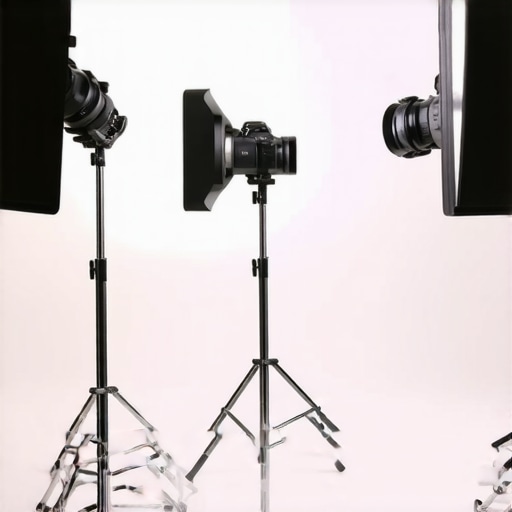
I remember the moment I realized my video calls made me look like I was under interrogation—shadows cast harshly across my face, making me appear tired and unprofessional. It was perplexing because I had invested in what I thought was a decent ring light, yet I still looked washed out or, worse, haunted. That lightbulb moment led me down a rabbit hole of experimenting with different ring light placements, and let me tell you, the difference was night and day. If you’ve faced similar frustrations—struggling with uneven lighting, unwanted shadows, or feeling like your setup looks amateurish—then stick with me. Today, I’m going to share proven ring light placement strategies that will eliminate those pesky shadows and elevate your video quality and confidence.
Why Your Ring Light Placement Matters More Than You Think
Is Great Lighting Really Worth the Hype
Well, early on, I made the classic mistake of simply placing my ring light directly in front of me, hoping for some magic. Turns out, that’s not enough. Proper placement is about more than just having a light in the general vicinity; it’s about positioning it to complement your workspace’s unique layout and your face’s angle. Proper placement can reduce unflattering shadows, balance skin tones, and even enhance the overall aesthetic—making your appearance more professional and less like you’re hiding behind a glow. Interestingly, studies show lighting can influence perceptions of credibility—so getting your ring light right isn’t just vanity; it’s impact. For a comprehensive approach, check out my detailed guide on [ring light hacks for creating the perfect video environment](https://lighting.techdeskessentials.com/ring-light-hacks-for-creating-the-perfect-video-conference-environment).
But let’s be honest: even with the best gear, I initially overlooked one simple but critical mistake—aiming my light directly at my face from the same line as my camera, which created glare and sharp shadows. I learned that thoughtful placement, combined with the right angle, truly makes or breaks your lighting quality. Now, I’ll walk you through the three placements that will help you dodge those annoying shadows and look your best in every video call, streaming session, or recording.
Position Your Ring Light Correctly
Start by placing your ring light slightly above eye level, angling it down at about 45 degrees. When I first tried this, I used a stack of books to elevate my light and aimed it directly at my face. The result? Softer shadows and a more balanced skin tone, eliminating that harsh glow I hated. Think of it like setting up a spotlight in a theater—it should highlight you, not blind your audience.
Maintaining the Right Distance
Maintain a distance of around 2 to 3 feet between your ring light and your face. Too close, and you risk overexposure; too far, and the light loses its effectiveness. I once moved my light closer during a Zoom call, and my skin looked unnaturally shiny—lesson learned. Keep experimenting with distance, and observe how the light interacts with your features. Remember, it’s like baking: proximity influences brightness and softness.
Experiment with Light Angles
Adjust the angle of your ring light to avoid glare on glasses or shiny spots on oily skin. I rotated my ring light slightly to the right, which washed out some shadows on my left cheek. This small tweak made my face appear more three-dimensional and natural. Think of lighting like painting: the angle creates depth and contrast—just enough to make everything pop.
Combine with Workspace Lighting
Don’t rely solely on your ring light. Add ambient lighting—preferably from a desk lamp with a warm color temperature—to soften shadows and create a welcoming environment. I added a small LED desk lamp angled away from my camera, which reduced the contrast and made my face more agreeable on camera. This layered approach mimics natural light, which is often diffuse and multi-directional.
Use Bias Lighting to Reduce Eye Strain
Implement bias lighting behind your monitor for a balanced visual experience. Bias lighting enhances contrast and minimizes eye fatigue during long calls. I mounted a strip of bias lights behind my monitor, which improved my focus and comfort, especially during extended screen time. For optimal results, consider an adjustable setup—check out my guide on bias lighting tips.
Leverage Desk Lamp Innovations
Choose a high-CRI LED desk lamp to complement your ring light. Such lamps provide accurate color rendering, making your skin look more natural. I replaced my old desk lamp with a modern LED model, which brightened my workspace without adding unwanted glare. Proper desk lighting can be the secret ingredient to a professional-looking video—like a finishing touch on a masterful painting. To find the best fit, explore desk lamp selection tips.
While many believe that selecting the right LED lamp or ring light is straightforward, seasoned lighting enthusiasts understand that the devil is in the details. One common myth is that brighter always means better, but in reality, overpowering your space with high lumens can cause glare and eye strain, undermining productivity rather than enhancing it. Advanced users know that a balanced combination of high-CRI settings and appropriate color temperatures significantly improves visual comfort and accuracy, something I detail in my extensive guide on LED lamp innovations. Another misconception is that positioning a single light source centrally will evenly illuminate your workspace, but in truth, multi-layered lighting—combining desk lamps, bias lighting, and room ambient light—creates depth and reduces contrasts that cause fatigue. Moreover, over-reliance on blue-toned lighting, even in modern LED solutions, may disrupt circadian rhythms, so experts advise incorporating warmer tones during late hours, backed by research from sleep science authorities. An often-overlooked trap is neglecting the reflection and glare from screens and glass surfaces, which can mirror the light source directly into your eyes, causing discomfort and decreasing focus. Open-angle or diffused lighting solutions can mitigate this; I recommend experimenting with angled placement and diffusers for optimal results. Finally, many users underestimate the importance of flicker-free technology in LED lamps. Flicker can induce headaches and visual fatigue, especially during prolonged use, which is discussed comprehensively in articles about flicker testing. Mastering these finer points goes beyond the basics of choosing a wattage; it’s about tailoring your lighting environment to support your health, productivity, and image. Do you fall into these common traps? Let me know in the comments!Maintaining your workspace lighting equipment is crucial to ensure consistent quality and longevity of your investment. I personally rely on a few specific tools to keep everything in prime condition. A digital lux meter, for example, helps me regularly measure light intensity at my workspace to prevent overexposure or under-illumination. I use a compact, rechargeable air blaster to clear dust from my ring light and LED desk lamps—dust accumulation can dim the light output and cause uneven performance over time. Additionally, a multimeter comes in handy when checking the electrical continuity and ensuring my connectors are functioning properly, preventing unexpected failures during crucial calls or recordings.
For software, I recommend employing calibration tools like the LightSys software suite, which allows precise adjustment of your LED lights’ color temperature and brightness. Regularly calibrating your lights ensures your skin tones stay natural and consistent, especially important if you rely on bias lighting to reduce eye strain. I calibrate my setup every few months, particularly when swapping out bulbs or upgrading components, to maintain optimal performance.
In terms of maintenance routines, I set a monthly schedule that includes cleaning diffuser covers with a soft microfiber cloth and checking for any flickering lights that could indicate aging LEDs or loose connections. Keeping your lighting fixtures free of dust and ensuring electrical components are securely connected prolongs their life and ensures safety.
Looking ahead, I believe advancements in smart lighting integrated with AI will revolutionize workspace ergonomics. Imagine lights that automatically adjust based on your circadian rhythms or the time of day, providing optimal lighting without manual intervention. This seamless integration will reduce eye strain further and boost productivity.
**How do I maintain my lighting tools over time?** Regularly cleaning your fixtures with proper tools like microfiber cloths, inspecting electrical connections with a multimeter, and recalibrating with dedicated software are vital steps. These simple yet effective practices can dramatically extend the lifespan of your setup and keep it performing at an expert level. For example, continuous dust buildup on LED lenses can diminish brightness, so routine cleaning is essential. If you’re interested in investing in a comprehensive calibration tool, check out my recommended software and hardware solutions for professional-grade consistency.
To make a practical step today, try using a lux meter to measure the actual light levels in your workspace after adjusting your setup. Achieving even, balanced lighting is an ongoing process, and measuring your environment ensures your efforts pay off. Proper maintenance not only preserves your equipment but also results in better video quality and reduced eye fatigue, foundational to a productive home office. For more insights on calibrating your LED lights, visit my detailed guide on [LED lamp innovations](https://lighting.techdeskessentials.com/led-lamp-innovations-brighten-your-desk-and-boost-productivity).
What I Wish I Knew About Lighting Setup Before Starting
One of the biggest lessons I learned was that even a well-intentioned setup can go awry without proper calibration. I once assumed that brighter meant better, only to realize that overexposure not only washed out my skin tone but also caused eye strain. Fine-tuning my color temperature and brightness settings transformed my video quality and comfort, reminding me that precision beats intensity.
Another insight was the importance of layering different lighting sources. Relying solely on my ring light left shadows and contrast issues, but adding bias lighting behind my monitors created a harmonious environment that reduced fatigue and improved my focus. This multi-source approach is something I wish I experimented with earlier—it’s a game-changer.
I also encountered the misconception that all LED lamps are created equal. Upgrading to high-CRI, flicker-free options made a noticeable difference in skin tones and eye comfort. Investing in quality tools and understanding their specs ensures your workspace isn’t just bright but also healthy and natural.
Tools and Resources That Truly Elevate My Workspace Lighting
My go-to tool for maintaining consistent quality is a digital lux meter, which helps me measure and adjust light levels accurately. It’s an eye opener—literally—and helps prevent under or over-lighting. I highly recommend it for anyone serious about professional-quality setup.
For calibration and fine-tuning, I rely on software like LightSys, which lets me adjust color temperature and intensity seamlessly. Regular calibration using this tool ensures my skin tones stay natural, especially when I switch bulbs or update equipment.
My hardware favorites include flicker-free, high-CRI LED desk lamps from trusted brands. Their durability and accurate color rendering make them invaluable, and the layered lighting tip I mentioned earlier is made simple with adjustable fixtures.
Finally, staying informed with expert guides and article vaults such as the comprehensive ultimate guide to ring lights and LED lamps keeps me ahead in optimizing my workspace environment, ensuring I always deliver my best on camera and off.
Your Next Step Toward Perfect Lighting Starts Today
Remember, achieving ideal workspace lighting is an ongoing journey—not a one-time fix. Small adjustments, regular maintenance, and investing in quality tools can dramatically improve your visual comfort, productivity, and confidence. The power to transform your environment is in your hands—literally!
What’s one lighting tweak you’re excited to try next? Share your plans or questions below—I’d love to help you get closer to that perfect glow!
.

About the Author
Ricardo Vargas
Director of Operations and Product Development
Ricardo Vargas is a seasoned professional in the lighting industry, currently serving as a Director of Operations and Product Development
LinkedIn Profile
Reading this post really resonated with me because I used to struggle with shadows on my face during video calls despite having decent lighting. I found that elevating my ring light slightly above eye level and angling it down at about 45 degrees made a significant difference, just like the author described. It’s interesting how small adjustments in placement can dramatically improve overall image quality and even boost confidence during professional calls. I’ve also started experimenting with adding a warm desk lamp to soften shadows, which feels much more natural overall. Has anyone here tried combining different color temperatures or layering various light sources? I’d love to hear what setups have worked best for others—sometimes, I think it’s all about those little tweaks that turn an amateur setup into something more polished.
This article offers some really practical tips that can make a noticeable difference in how we look on camera. I particularly agree with the point about positioning the ring light slightly above eye level and angling it down. I’ve found that using a small adjustable stand helps me fine-tune the angle and distance easily, which is crucial for achieving that natural glow. Also, layering different types of light, like adding a warm desk lamp or some soft ambient lighting, has truly helped reduce shadows and create a more inviting atmosphere. I’m curious how others manage glare on glasses, especially during long video sessions—do you angle your lights differently or use diffusers? For me, slight adjustments in angle and the use of matte filter glasses have been game-changers. Lighting can seem straightforward, but mastering these nuances really elevates the overall quality of your video appearance. Would love to hear more about other techniques or tools people use to perfect their setup, especially those dealing with glare or reflections.
I really appreciated this detailed rundown on ring light placement. It’s true that many people overlook how much positioning impacts the final look. When I started experimenting with my setup, I found that elevating my ring light slightly above eye level and angling it downward at around 45 degrees made my face look more natural and reduced those unwanted shadows. I also learned that keeping the light about 2-3 feet away prevents overexposure while still providing enough glow. Interestingly, I’ve been exploring colored filters to add warmth or coolness based on the type of call or recording—I think small touches like this make a big difference in scene mood. Have others experimented with different filters or diffusers to soften or control the light further? My question for fellow readers is, how do you find the perfect balance between ring light brightness and ambient room lighting to achieve a natural yet professional look? I’d love to hear your tips or stories on what’s worked best for you.