
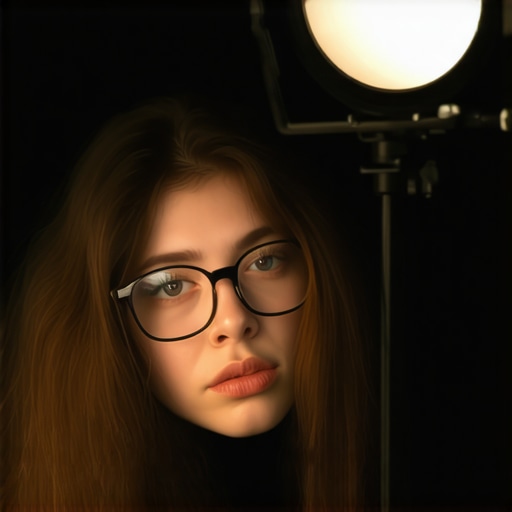
Ever find yourself adjusting your ring light multiple times, only for that annoying glare to still sneak through, making it impossible to see your face clearly on camera? I remember the first time it happened—I was all set for a perfect Zoom meeting, virtual background in place, great lighting, and then—bam—the dreaded glare shimmered across my glasses, transforming me into a ghostly apparition. Frustrating doesn’t even begin to cover it.
That lightbulb moment made me realize how critical good lighting setup is, especially when we rely so heavily on video conferencing. Whether we’re streaming, hosting webinars, or just trying to look professional for work calls, glare on glasses can ruin the entire shot. It’s like a neon sign flashing, “Can’t See Your Eyes!” and honestly, it’s one of the most common problems I hear from friends and followers alike.
So, what’s the big deal about fixing this glare? Well, beyond just aesthetics, glare can diminish the quality of your video, interfere with expressions, and even lead to eye strain if your glasses reflect intense light all day. And in 2026—an era when crisp, high-quality video is king—it’s essential to address this issue head-on.
Today, I promise to share practical, tested tips that will help you reduce or eliminate ring light glare on your glasses. These aren’t just quick fixes but carefully curated strategies based on my own trial-and-error experience and advice from lighting experts. If you’ve ever battled with glare, buckle up—because these tips could change your virtual game entirely.
But let me ask: have you ever been caught off guard by glare during an important call or recording session? If so, keep reading. We’re going to tackle this problem from multiple angles. Ready? Let’s make your lighting work for you—and not against you.
Adjust Your Ring Light Angle
Start by positioning your ring light so that it faces slightly above your eye level and lets the light spread evenly across your face. I experienced a messy setup trial where I moved the ring light from directly in front of me to a 45-degree angle, which dramatically reduced glare on my glasses and improved my visibility on camera. Think of this like painting—diffuse the light to avoid harsh reflections or bright spots.
Opt for Soft, Diffused Light Sources
Using a harsh, direct light creates sharp reflections. Instead, go for diffused lighting—like placing your LED lamp behind a semi-transparent screen or using a softbox. I once wrapped my LED lamp with a thin white cloth, turning it into a makeshift diffuser. This softened the light, minimized glare, and made my features look more natural. Learn about innovative LED lamp options here.
Position Your Desk and Screen Strategically
Arrange your desk so that the light source isn’t directly reflecting off your glasses into the camera. I placed my monitor slightly lower than the light source, which prevented glare from bouncing into my eyes. Visualize your workspace like a mirror—you want the light to bounce away, not directly into your glasses.
Experiment with Bias Lighting for Balance
Add bias lighting behind your monitor to create a balanced light environment. This reduces eye strain and minimizes the stark contrast that can make glare more noticeable. I installed a strip of bias lighting behind my monitor, which made my face appear more evenly lit without additional glare. Check out bias lighting tips that enhance your setup.
Adjust Your Glasses’ Position and Frame
Sometimes, small changes to how you wear your glasses—such as tilting the frames slightly downward—can significantly cut glare. I realized I could tilt my glasses to change the reflection angle, which minimized the glare. Think of your glasses like a mirror—alter their angle slightly to redirect reflections away from your camera’s line of sight.
Use Anti-Reflective Coatings or Tinted Lenses
If glare persists, consider lenses with anti-reflective coatings or lightly tinted lenses designed for screen use. I invested in glasses with coatings that block blue light and reduce reflections, which made my eyes look clearer on camera and eliminated unwanted glare. For options tailored to your workspace, visit recommendations on glasses for work.
Keep Ambient Lighting in Check
Finally, reduce overall room lighting to avoid competing light sources that can cause reflections. I dimmed the ambient lights in my office, which made my primary lighting more effective and eliminated additional glare. Think of creating a lighting hierarchy—bright enough to see, but controlled enough to prevent reflections or glare. You can explore more about workspace lighting with modern LED solutions here.
When it comes to workspace lighting, many believe that brighter is always better or that one-size-fits-all solutions like standard LED lamps or ring lights will instantly transform their environment. However, as an expert in lighting design, I can tell you that these assumptions often lead to pitfalls rather than improvements. For example, the popular notion that more light equals better productivity neglects the importance of light quality, color temperature, and placement, which significantly impact focus and eye comfort. Overly harsh lighting can cause glare, leading to eye strain, while inadequate ambient light can make your workspace feel dull and uninspiring. Instead, focus on balanced, layered lighting schemes that combine task, ambient, and accent lighting for optimal results.
A common myth is that using a bright ring light will eliminate all glare issues on glasses. In reality, if the light is positioned improperly or has a high color temperature, it can exacerbate reflections or create unflattering shadows. The key is to *coordinate* your lighting setup rather than just adding more light sources. For advanced setups, consider adjustable LED lamps with high CRI (Color Rendering Index) to ensure colors appear natural, reducing visual fatigue. An expert tip is to pay attention to the placement angle; positioning your light source at a 45-degree angle from your face often provides better diffusion and minimizes glare. To explore innovative LED lamp options that boost productivity through proper spectrum and brightness control, visit this guide.
Beware of the trap of relying solely on bias lighting behind your monitor. While bias lighting can reduce eye strain and improve contrast perception, it must be carefully calibrated. Excessively bright or poorly colored bias lights can cause eye discomfort, nullifying their benefits. The goal is a soft, diffuse glow that matches your monitor’s brightness without overwhelming your eyes. For advice on selecting and installing effective bias lighting, see this resource. Remember, the underlying secret is harmony: your workspace lighting should work cohesively to create a comfortable environment conducive to concentration.
### How Do I Fine-Tune My Lighting for Different Tasks?
Focusing on the nuanced differences in lighting needs for editing, reading, or video conferencing can elevate your workspace from good to great. For instance, detailed tasks like editing photos or videos require high CRI lamps with adjustable color temperatures to accurately render colors. Conversely, relaxing or brainstorming sessions benefit from warmer, dimmer lighting that fosters comfort. The ability to switch between these modes or settings is a hallmark of advanced workspace lighting design. To discover the best LED lamps for different activities, check this comprehensive guide. Don’t fall into the trap of static lighting setups that don’t adapt to your changing needs; flexibility is key to a truly professional environment.
In essence, mastering workspace lighting involves understanding the interplay between light quality, placement, and your specific tasks. It’s not just about adding more fixtures but making deliberate choices to create a balanced, comfortable, and glare-free environment. These nuances, often overlooked, hold the key to transforming your daily work experience. Have you ever fallen into this trap? Let me know in the comments.Keeping your workspace lighting optimal over time requires more than just good equipment; it demands reliable tools and a strategic approach. As someone deeply immersed in lighting design, I rely on specific gear and software to ensure my lighting setup remains effective and adaptable. One of my top choices for workspace illumination is the LED desk lamp with high CRI and adjustable color temperature. I personally use the best desk lamp for modern workspaces in 2025, which offers flicker-free lighting, customizable brightness, and a sleek design that fits into any setup. This lamp not only enhances color accuracy but also reduces eye strain during long hours. To monitor the consistency of my lighting, I employ a lux meter app, such as Light Meter or Lux Light Meter, which I’ve found invaluable for ensuring my light levels stay within the optimal range—especially when adjusting ambient or task lighting. Regular calibration with these tools helps me detect flickering or intensity drops early, preventing long-term eye fatigue. For managing multiple light sources and programming their settings, I turn to smart lighting systems like Philips Hue or LIFX, which can be controlled via dedicated apps. These systems allow me to set schedules, adjust color temperatures, and create scene presets effortlessly. Experts suggest that future workspace lighting trends will lean heavily toward adaptive, AI-driven lighting controls that optimize brightness based on time of day and workload. To keep your setup functioning flawlessly, I recommend integrating a combination of high-quality fixtures—like those from top-rated LED lamps and bias lights—and leveraging technology for automation and real-time monitoring. Testing flicker-free performance with flicker tests is a crucial step to ensure your lights don’t cause fatigue over extended periods. I highly encourage you to try calibrating your lighting with a lux meter or install a smart system that adapts in real time. Not only will this improve your visual comfort, but it will also enhance productivity and focus, making your workspace truly future-proof.
Three Surprising Mistakes That Taught Me a Lot
Initially, I believed that just having bright lighting would eliminate glare on my glasses. Turns out, placement and light quality matter way more than sheer brightness. I learned this the hard way when placing my ring light directly in front of me caused even worse reflections, forcing me to experiment but ultimately understand the importance of angle and diffusion. It’s a gentle reminder that what seems logical often isn’t effective—you need to see the nuances behind workspace lighting to truly master it.
The Power of Fine-Tuning Your Workspace
I discovered that small adjustments, like tilting my glasses or fiddling with the height of my desk lamp, drastically reduced glare. This taught me that perfection often lies in subtle, personalized tweaks rather than sweeping changes. For anyone serious about improving their video setup, having the patience to personalize your lighting and comfort levels can profoundly elevate your virtual presence—making you look professional and feeling comfortable at the same time.
What I Didn’t Expect: Better Eyes, Better Focus
Managing glare wasn’t just about aesthetics; it turned into an eye health victory. After switching to diffuse lighting and anti-reflective lenses, I noticed less eye strain and sharper focus during long sessions. The lesson? Good workspace lighting isn’t just a cosmetic fix—it’s an investment in your wellbeing and productivity. It’s amazing how much clearer and less fatigued your eyes feel when you get your lighting right.
My Must-Have Tools That Keep My Lighting Just Right
Over time, I’ve curated a toolkit that keeps my workspace optimal. The best desk lamp for modern workspaces offers adjustable brightness and color temperature, crucial for tailoring light to my tasks. A cable management kit keeps my setup clean, while a flicker meter app ensures my lights are flicker-free, preventing fatigue. These tools combine to create a professional, comfortable environment that adapts as I work—saving me time and frustration.
Step Into the Future of Workspace Lighting
Breaking free from the myths and trial-and-error, I now see workspace lighting as an ongoing journey. Your setup can be as flexible and intelligent as you need it to be—automatic adjustments, personalized presets, and smart controls are just around the corner. Embracing this future means not just fixing glare but creating an environment that fosters focus, health, and confidence. Trust me: your eyes—and your virtual presence—will thank you.
So, what’s the one change you’re eager to make in your workspace lighting today? Let me know below, and let’s keep learning together!

About the Author
Ricardo Vargas
Director of Operations and Product Development
Ricardo Vargas is a seasoned professional in the lighting industry, currently serving as a Director of Operations and Product Development
LinkedIn Profile