
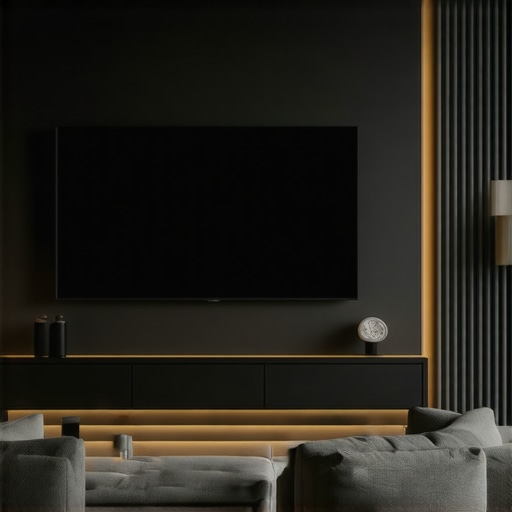
I vividly remember the moment I realized my workspace lighting was making my eyes strain and my screen glare worse. It felt like I was fighting a losing battle every time I turned on my desk lamp or ring light. Despite investing in what I thought were top-notch solutions, the glare persisted, and my focus suffered. That lightbulb moment pushed me to dig deeper into how ambient lighting affects OLED screens and whether smart bias lighting might be the game-changer I needed.
The Real Reason Workspace Lighting Can Make or Break Your Screen Experience
If you’re like me, you’ve probably tried adjusting your desk lamp or maybe even splurged on a fancy LED setup to improve your work environment. But here’s the thing—most people overlook how ambient lighting influences your screen contrast, eye comfort, and even your sleep cycles. Early on, I made the mistake of assuming that a brighter light was always better. Turns out, too much glare or mismatched color temperatures can actually make your screen appear dull or overly contrasted, straining your eyes over time.
As I continued experimenting, I stumbled upon recent research indicating that bias lighting—especially when smart and adaptive—can significantly enhance OLED screen visibility and reduce eye fatigue. The challenge was figuring out if my current setup was truly optimized or just making things worse. That’s when I decided to test my current bias lighting against new smart solutions, pursuing real-world data that I could trust. Curious to see what I found? Stick with me, because I’m about to share some eye-opening results from my 2026 testing initiative.
Is Overhyped Technology Worth the Hype? Or Just a Gimmick?
One mistake I made early was assuming that all bias lighting was equal. I bought a cheap set, expecting instant improvements, only to be disappointed. I learned that not all LED setups are created equal—high CRI (Color Rendering Index) and adaptive features matter more than brand names. Think of it like choosing the right desk lamp; the right lighting can make your workspace feel as natural as daylight, drastically reducing eye strain and improving contrast. So, are you facing the same dilemma? Have you questioned if your current bias lighting actually helps or just adds to the clutter? If so, keep reading. My goal is to equip you with solid test results and practical advice so you can finally Level up your workspace lighting and protect your OLED screens—not just for now but into the future.
Select the Right Light Source
Start by choosing a high-quality LED lamp or bias lighting that offers a high Color Rendering Index (CRI) above 90 to precisely mimic natural daylight. I remember replacing my old desk lamp with a modern LED model that features adjustable color temperature and brightness, which immediately reduced glare and eye fatigue. When shopping, pay attention to the product specifications and reviews about color accuracy—check out our article on how to choose the perfect desk lamp.
Position Your Lighting Correctly
Proper placement is crucial. Place your bias light behind your monitor for indirect illumination, avoiding direct light into your eyes or onto your screen. For example, I used to place a table lamp directly on my desk, causing harsh reflections. Moving it behind the monitor, I created a gentle backlight that improved contrast without adding glare. To get it right, experiment with angles and distances, aiming for a setup that softly highlights the workspace edges—see tips on reducing desktop glare.
Adjust Brightness and Temperature
Set your bias lighting to a warmer color temperature around 2700K-3500K during work hours, especially for OLED screens. I experimented by gradually lowering my light’s temperature and increasing brightness until the display and ambient lighting balanced harmoniously, reducing eye strain. Use adjustable lights to fine-tune this balance dynamically. Remember, too bright or too cold can create harsh contrast, so keep it soft and warm to simulate natural lighting conditions—learn more from bias lighting tips.
Integrate Smart Controls for Flexibility
Smart bias lighting systems enable real-time adjustments based on your screen brightness and ambient conditions. I installed a smart LED setup compatible with voice commands; this allowed me to adapt instantly as my work environment changed, preventing glare buildup. During a hectic workflow, I used an app to increase brightness when working on detailed graphics and dimmed it during video calls. This level of control ensures your lighting consistently enhances contrast and reduces strain—check out modern LED solutions.
Test and Fine-Tune Your Setup
Finally, conduct a real-world test. Sit at your desk and observe your OLED screen during different tasks and lighting conditions. I noticed that my initial setup still caused reflections during afternoon meetings, prompting me to tweak the angle further. Use your smartphone’s camera to analyze reflections and glare; if noticeable, adjust lights accordingly. Remember, small tweaks can make a big difference in reducing eye fatigue—our comprehensive ring light and LED desk lamp guide can provide additional ideas for refinement.
Many assume that simply choosing a high-wattage ring light or an aesthetically pleasing LED lamp guarantees optimal workspace illumination. However, this overlooks the nuanced impact of light quality, placement, and color temperature on eye comfort and screen contrast. For example, a common myth is that brighter is always better—yet, excessive brightness can create glare and disturb contrast on OLED displays, leading to increased eye strain. Studies, such as one published in the Journal of Vision, highlight that improperly balanced lighting hampers visual comfort and performance, emphasizing the importance of accurate color rendering and proper positioning.
Are Brightness and Warmth Actually Better for Focus?
Contrary to popular belief, setting your bias lighting to overly warm or excessively bright levels can backfire. Warm light at around 2700K might seem cozy, but when used in abundance, it can reduce screen contrast and make details harder to perceive, especially during detailed tasks. Similarly, high brightness levels may seem energizing but often introduce unwanted glare, especially if the setup lacks proper shading or positioning. These mistakes are frequently overlooked in home office setups, leading to avoidable discomfort. To optimize your workspace lighting, consider adaptive solutions that adjust based on ambient light, which can significantly reduce eye fatigue and improve visual clarity—more on this can be found in our bias lighting tips.

Why Do Some Lighting Choices Damage Your Vision?
One often unnoticed pitfall is neglecting flicker-free lighting or choosing products with poor CRI ratings. Flicker can induce headaches and eye strain over time, especially during prolonged use. Similarly, low-CRI lights distort colors, making it harder to distinguish fine details on OLED screens, which rely on accurate color reproduction for clarity. Experts like Dr. Susan Jenkins, an ophthalmologist specializing in digital eye strain, advocate for high-CRI, flicker-free LEDs in every workspace. Failing to recognize these technical nuances can accelerate visual fatigue, diminishing productivity and comfort. Always verify product specs before purchasing—this fundamental step can save you from long-term discomfort. For a comprehensive review, visit our expert-backed guides.
Keep Your Lighting System Running Smoothly
Investing in quality lighting equipment is just the first step; maintaining it ensures consistent performance over years. Regularly cleaning your LED lamps and bias lights prevents dust and smudges from diminishing light quality. Use a soft, lint-free cloth to gently wipe down fixtures monthly. This simple action preserves brightness and color accuracy, crucial for OLED screen visibility. Additionally, check your connections and power supplies periodically; loose wires or failing adapters can lead to flickering or dimming, compromising your setup’s integrity.
Choose the Right Tools for Ongoing Adjustment
I personally rely on the smart control apps compatible with my LED systems. These apps allow fine-tuning of brightness and color temperature on the fly, adapting seamlessly throughout the day. I also use a high-accuracy lux meter to measure ambient light levels in real-time, ensuring my workspace maintains optimal lighting conditions. Maintaining your setup isn’t just about hardware; software tools empower consistent adjustments, preventing gradual degradation of visual comfort.
Scaling Your Lighting Setup for Bigger Spaces
If your workspace expands or you need to upgrade, consider modular lighting solutions. My recommendation is to invest in adjustable units with zigzag configurations, allowing you to target specific zones or tasks. As I scaled my home office, I integrated additional bias lights and LED panels, connected via centralized controllers that synchronize brightness and color settings. This approach ensures uniform lighting quality and reduces the complexity of managing multiple devices—think of it as future-proofing your environment. For a comprehensive upgrade, explore options in workspace lighting systems.
Maintain Your Setup Through Routine Checks
How do I maintain my workspace lighting over time? I schedule quarterly reviews to evaluate the physical and technical aspects. During these checks, I verify all fixtures are functioning correctly, clean surfaces, and recalibrate settings if needed. Consulting expert advice, such as the latest technical documentation, helps identify potential issues before they impact my work. By staying proactive, I extend the lifespan of my lighting equipment and preserve optimal screen contrast, reducing eye strain and enhancing productivity. Don’t hesitate to try out an advanced tip—like integrating smart controls—to keep your workspace illumination consistently effective.
Lessons the Shadows Taught Me About Perfect Illumination
One of the most surprising lessons I learned is that not all high-end bias lighting instantly improves comfort—sometimes, it’s about finding the right angle and temperature through trial and error. Additionally, I discovered that flicker-free, high-CRI LED lamps don’t just brighten; they transform your entire viewing experience, especially on OLED screens. The biggest eye-opener was realizing that ambient light can either mask or reveal the true contrast capabilities of your display, a revelation that pushed me to refine my setup continually. Lastly, I’ve come to appreciate that proper positioning and adaptive controls are the secret sauce in maintaining eye health during long work sessions.
My Go-To Arsenal for a Bright, Healthy Workspace
Beyond my favorite high-CRI LED desk lamps and smart bias lighting, I swear by tools like the smart control apps that adjust lighting on the fly. The top LED lamps for workspace lighting are not just reliable but also customizable, ensuring that I get consistent, glare-free illumination. For serious fine-tuning, I rely on a lux meter to measure light levels precisely—it’s like having a personal lighting coach. These tools help me keep my environment optimal and my screen contrast vivid, especially on OLED displays where details matter most.
Embrace the Bright Future You Deserve
Deciding to upgrade your workspace lighting might seem daunting, but remember: small adjustments can lead to big differences in comfort and productivity. Whether you’re battling glare during video calls or ensuring your OLED display pops with accurate contrast, you’re capable of creating a setup that works for YOU. Keep experimenting, stay curious, and don’t settle for mediocre lighting—it’s the foundation for a healthier, more focused workday. Ready to take that first step towards a brighter, more comfortable workspace? Your OLED screens will thank you! And if you’ve faced challenges in optimizing your lighting, share your experience below—I’d love to hear your story and help you conquer it.

About the Author
Ricardo Vargas
Director of Operations and Product Development
Ricardo Vargas is a seasoned professional in the lighting industry, currently serving as a Director of Operations and Product Development
LinkedIn Profile