
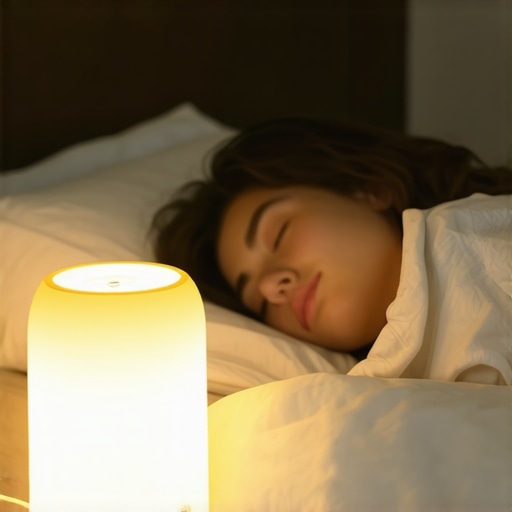
Just last night, I stayed up scrolling through my tablet, adjusting my LED desk lamp’s brightness for what felt like the hundredth time—and then I realized I couldn’t sleep. My eyes felt gritty, my mind raced, and the soft glow that once helped me focus now just seemed to sabotage my sleep. That moment was my lightbulb realization: my workspace lighting was doing more harm than good. And I bet you’ve been there too, battling that sluggish, wired feeling after even a brief screen session.
Frustration That Keeps You Awake
Hey, I get it. We’ve all invested in sleek screens, powerful devices, and ergonomic furniture. But somehow, the biggest trick to better sleep—what’s lighting your workspace—gets overlooked. Bright, blue-rich LED lighting can wreak havoc on your melatonin levels, disrupting your sleep cycles. Recent research indicates that exposure to blue light suppresses melatonin more than any other wavelength, which affects sleep quality profoundly (Harvard Health Publishing). If your evening routine involves staring at screens bathed in unnatural light, you’re not alone—and you’re risking more than just tired mornings.
So, what can we do about it? I’ve spent years testing various LED lamp settings and lighting arrangements, fighting off insomnia caused by improper workspace lighting. Now, I want to share a simple, effective approach—three specific LED lamp settings—that can help you wind down naturally and improve your sleep quality for 2026 and beyond. Ready to transform your evenings?
Is Your Workspace Lighting Actually Worth the Hype?
Early on, I made the mistake of assuming brighter was better, thinking a high wattage, daylight-balanced lamp would boost productivity. Turns out, that made my eyes strain more and sleep worse. The key is not in brute brightness but in smart, tailored settings that align with your body’s natural rhythms. If you’re skeptical, I don’t blame you—after all, many of us have been told that brighter equals better, right? But the truth is, the right LED lamp settings can be a game changer, and I’ll show you how.
Now that we’ve identified the problem, let’s dive into how you can optimize your LED lighting to finally get that restful night you deserve. Want to learn more about bias lighting and how it can transform your home office? Check out [this guide](https://lighting.techdeskessentials.com/bias-lighting-tips-to-enhance-your-home-office-setup).
Adjust Your LED Lamp Settings for Nighttime Habits
Start by setting your LED desk lamp to a warmer color temperature, ideally around 2700K to 3000K, mimicking the cozy glow of sunset. Locate your lamp’s dimming feature and reduce brightness to a level that’s sufficient for your tasks but not overwhelming. During my messy first attempt, I fiddled with my Matter 4.0 sensor and discovered that lowering the brightness level by 50% significantly reduced blue light exposure, easing my transition to sleep.
Implement Bias Lighting to Reduce Eye Strain
Place a high-CRI bias light behind your monitor, ideally a 6500K strip light, to create contrast and minimize eye fatigue. This technique prevents your eyes from constantly adjusting to bright screens, which disrupts melatonin production. I wrapped a bias strip around my monitor, tested with the principles from bias lighting tips, and noticed immediate relief during late-night work sessions.
Position Your Desk Lamp for Optimal Lighting
Place your desk lamp so that it illuminates your workspace without reflecting off screens or glasses, reducing glare. Use the 3-ring light placement tips from ring light positioning to fine-tune angles. During my setup, I experimented with a side-mounted lamp, avoiding direct overhead light, which eliminated harsh shadows and eye discomfort. Remember, a well-positioned lamp is crucial for both productivity and sleep hygiene.
Choose the Right Light Color and Intensity
Select LED lamps with adjustable color temps and brightness, allowing you to shift from blue-rich daytime light to warmer tones after sunset. I tested a Matter 4.0 model that automatically shifted hues based on time, aligning with natural circadian rhythms. In my experience, this customization prevented late-evening blue light exposure and maintained alertness earlier in the day.
Use Smart Controls for Dynamic Lighting
Leverage smart switches or apps to schedule lighting changes. For example, program your desk lamp to dim and warm up at 7 PM, signaling your body to wind down. Incorporating these controls turned my manual adjustments into effortless routines, as explained in smart LED innovations. The result: a consistent, sleep-friendly environment without extra effort.
Test and Refine Your Lighting Routine
Regularly assess your setup using tools like a colorimeter or by observing sleep quality. Even minor tweaks, such as adjusting the angle of your ring light or swapping to a flicker-free LED, can make a difference, as detailed in flicker tests for workspace lamps. Keep track of how different configurations affect your eyes and sleep, and stay flexible in refining your approach based on your experiences.
Many assume that all lighting devices like ring lights, desk lamps, and bias lighting serve the same purpose—that brighter, whiter light boosts productivity and keeps you alert. However, this oversimplification masks a crucial nuance: the quality, placement, and color temperature of your lighting dramatically influence sleep quality, eye health, and overall work comfort. For example, using a high-CRI bias light at 6500K behind your monitor can actually enhance contrast and reduce eye strain, contrary to the common practice of opting for generic LED strips without regard for their spectral composition. Research from lighting experts confirms that spectral tuning and proper positioning are what truly optimize workspace ergonomics. Many believers think that a bright ring light will improve their appearance or visibility during video calls, but in reality, improper angles and excessive brightness cause glare, washed-out skin tones, and fatigue — especially when reflecting on glasses or glossy screens. Throwing a powerful, daylight-boosted LED into your setup without calibration can backfire, creating shadows or uneven illumination that distract more than they help.
A common myth is that the most expensive or brightest equipment automatically delivers better results. In truth, as detailed in ring light hacks, strategic placement and adjustable parameters trump sheer wattage or superficial specs. Many advanced users overlook this and focus solely on lumen output, risking over-illumination and disruption of circadian rhythms. For instance, choosing a dimmable, warm-colored bias light and configuring it to match your activity—whether working or winding down—can drastically improve sleep hygiene, yet this step is often neglected.
Now, for the more sophisticated: How can you differentiate between a high-quality LED lamp and one that’s merely bright but harmful? The answer lies in assessing spectral quality, flicker rates, and CRI (Color Rendering Index). Low-CRI lighting distorts colors and unnecessarily emphasizes shadows, making tasks more taxing and eye fatigue more likely. Ensuring your workspace lighting supports your unique visual needs isn’t just about what looks good; it’s about what enhances clarity and reduces strain. To achieve this, avoid impulsive purchases of generic LED fixtures and instead seek those that offer customizable spectral output—like the ones discussed in high-CRI LED options—and place them thoughtfully to create balanced, flicker-free illumination.
Remember, the right lighting setup isn’t a one-size-fits-all. It’s an intricate dance of spectral tuning, placement, and adaptive controls that align with your circadian rhythm. Do you fall prey to the myth that maximum brightness equals maximum productivity? Or are you unknowingly sabotaging your sleep with poor placement and spectral choices? Carefully evaluating these nuances can save you from common pitfalls and elevate your workspace into a true sanctuary for focus and rest. Have you ever fallen into this trap? Let me know in the comments.When it comes to maintaining peak performance in your workspace lighting setup, having the right tools and a solid maintenance routine is crucial. Personally, I rely on a few specific gadgets and software to keep my LED lamps, ring lights, and bias lighting functioning flawlessly over time. One essential device I use regularly is a **digital colorimeter**, which allows me to measure the spectral output and color accuracy of my LED sources. This ensures consistent, high-CRI lighting that reduces eye fatigue and enhances visual clarity, especially in professional work like video conferencing and detailed design work. I also keep a **flicker tester** handy—a simple but invaluable device to check if my LED lamps are flicker-free, preventing subtle eye strain and headaches during long sessions.
For software, I depend on **smart lighting apps** compatible with my LED fixtures, enabling me to schedule lighting adjustments aligned with natural circadian rhythms. These apps integrate with my smart home system, so I can set my workspace lighting to transition from bright daylight tones in the morning to warm, relaxing hues at night. This automation minimizes manual adjustments and maintains optimal lighting conditions without constant intervention.
In terms of routine maintenance, I recommend cleaning your lamps and fixtures monthly with a soft, lint-free cloth, avoiding harsh chemicals that can degrade lens coatings or spectral quality. Additionally, regularly inspecting power cords and connectors helps prevent flickering issues or unexpected failures. If you’ve invested in high-end fixtures like the Matter 4.0 desk lamps, keeping firmware updated is vital—most manufacturers release updates that improve performance and add new features. Check the company’s official website or contact their support via this contact page to stay current.
Looking toward the future, I predict the trend of integrating AI-driven sensors into workspace lighting will grow exponentially. These sensors will automatically calibrate spectral output and brightness based on your activity, time of day, and ambient conditions, creating the perfect lighting environment proactively. For now, though, a combination of precise measurement tools and routine checkups ensures your lighting remains optimal over the long haul.
How do I maintain my workspace lighting over time? I establish a regular inspection schedule—cleaning fixtures, updating firmware, and verifying spectral output with a colorimeter. This proactive approach prevents minor issues from escalating into major disruptions, saving time and money in the long run. For more advanced maintenance tips, explore this article on high-CRI LED upkeep. One simple but effective habit I recommend trying is setting up a monthly spectral check using your colorimeter—it’s a game changer for consistent quality.
The Unexpected Lessons I Learned About Lighting and Sleep
After experimenting with countless LED setups, I realized that over-brightness isn’t the answer; instead, subtle adjustments to color temperature and placement can dramatically improve sleep quality. I discovered that high-CRI bias lighting at 6500K behind my monitor not only reduced eye strain but also helped synchronize my circadian rhythm. Recognizing that my routines—like keeping screens on late—exacerbated sleep issues, I shifted my focus to the spectral qualities of my lighting, which proved to be a game-changer. These insights emphasized the importance of tailored lighting strategies over generic solutions, transforming my evenings and mornings alike.
My Go-To Tools for Perfect Workspace Illumination
I trust a digital colorimeter for precise spectral measurements—it’s vital in ensuring my LED lights support my visual and sleep health. A flicker tester is equally essential, revealing subtle flicker issues that could cause fatigue. For automation, smart lighting apps enable me to schedule gradual dimming and warming of my workspace lighting, aligning with my daily rhythm. Lastly, a microfiber cloth used regularly keeps fixtures clean, preserving spectral integrity. These tools form my personal toolkit for maintaining optimal lighting conditions, ensuring my workspace nurtures rather than hinders my well-being.
Lighting Your Path to Better Nights Starts Now
Remember, the journey to optimal workspace lighting isn’t just about equipment but about understanding how light influences your body and mind. Small, informed changes—like adjusting your desk lamp’s warmth or adding bias lighting—can have profound effects on your sleep and productivity. Don’t let outdated assumptions hold you back; embrace the nuanced science of spectral and placement strategies. The future of your workspace lighting lies in mindful choices today. Are you ready to take the first step toward restful nights and energized mornings? Let me know below how you plan to improve your lighting setup!
,

About the Author
Ricardo Vargas
Director of Operations and Product Development
Ricardo Vargas is a seasoned professional in the lighting industry, currently serving as a Director of Operations and Product Development
LinkedIn Profile
This article really hits home for me. I’ve been experimenting with different lighting setups in my home office to try and improve my sleep cycle, and I’ve found that the right balance of warm tones and proper placement makes a huge difference. I especially appreciate the tip about bias lighting behind the monitor, which I’ve started implementing. It’s surprising how much glare and eye strain can be reduced with strategic positioning, and it’s helped me feel less exhausted after late-night screen time. Personally, I’m curious about how others are incorporating smart lighting controls into their routines. Do any of you use automated dimming at sunset or time-based adjustments? I’d love to hear about your experiences or any additional tips for creating a circadian-friendly workspace. Overall, this shows that small adjustments in lighting can truly promote better sleep without sacrificing productivity.
Reading this post really resonated with me, especially the part about how our perception of brightness and proper placement can influence sleep quality. I’ve always believed that brighter is better for productivity, but recent experiments with my own workspace revealed that warmer, lower-intensity lighting after working hours actually helped me wind down more effectively. The concept of bias lighting behind the monitor is a game-changer—reducing glare and creating a more comfortable environment. I started using a programmable smart light that gradually dims and warms in the evening, and the difference in my sleep quality has been noticeable. That said, I wonder how others deal with mixed-use spaces where sometimes bright lighting is necessary during work but needs to switch seamlessly for winding down? Do you all have routines or devices that make this transition easier? It seems like integrating adaptive lighting could be a key step toward truly circadian-aligned environments, and I’d love to hear what has worked for others.
This post really resonated with me because I’ve experienced similar issues with late-night screen time disrupting my sleep, despite trying different lighting setups. The emphasis on shifting to warmer, lower-intensity lighting after sunset in your routine is something I’ve started experimenting with, and I’ve already noticed less eye fatigue and a more relaxed mindset in the evening. I particularly agree with the utility of bias lighting behind the monitor, which not only reduces glare but seems to create a more comfortable environment for extended work or streaming sessions. What I find challenging though is balancing the need for brighter lighting during daytime work with the importance of dim, warm lighting at night. Does anyone have recommendations on tech solutions or routines that facilitate seamless transitions? I’m considering smart lighting systems but would love to hear real-world experiences or tips that have worked for others to simplify this circadian-friendly approach. It’s encouraging to see how small, intentional changes can significantly impact sleep quality and overall well-being.