
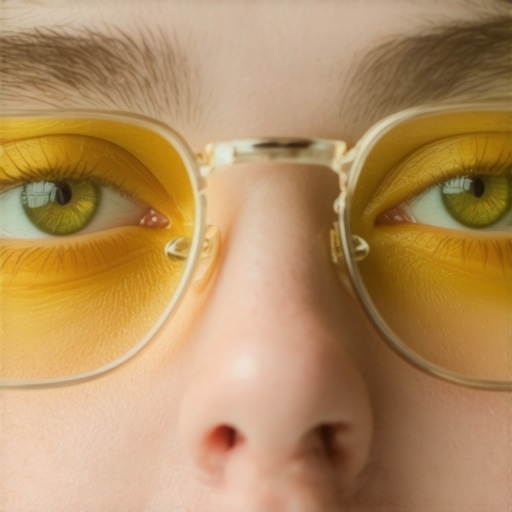
I remember the first time I noticed it—that awkward glow bouncing off my glasses during a video call. It was like my reflection had its own spotlight, stealing attention and making me look more like a ghost than a professional. Frustrated, I fiddled with my ring light, adjusting angles and brightness levels, but nothing seemed to fix the unmistakable glow. That moment was a lightbulb for me—literally!
The Surprising Culprit Behind Your Glowing Glasses
Here’s the real deal: most ring lights are designed to provide even, flattering illumination. But if positioned incorrectly or if your glasses have a certain shape, reflective glare is almost inevitable. It turns out that the way your lighting is set up—its placement, angle, and even the diffuser—plays a huge role in whether your glasses will glow or not. And guess what? This isn’t just a minor annoyance; it can seriously impact your professional appearance during calls or recordings.
Early on, I made the mistake of thinking that brighter always meant better. I cranked up my ring light, expecting more clarity, only to get that harsh reflection bouncing off my glasses. Trust me, I learned the hard way that adjusting the position of your light—like moving it just 2 inches higher—can make a world of difference. For more tips on workspace lighting, I recommend checking out this article. It highlights how proper lighting placement can transform your entire setup.
Is Blinding Glare Legitimate or Overhyped?
One of my biggest fears early on was that stopping the glare would make my setup look dull or unprofessional. But after experimenting with diffuser swaps and repositioning my light, I found that controlling glare actually enhanced my overall appearance on camera. This led me to wonder: are all these tweaks really worth the effort? Well, according to research by the Illuminating Engineering Society, proper light placement reduces glare and eye strain—improving comfort and clarity during long work sessions (more here). The key is to avoid common mistakes, like placing your light directly in front of or below your face.
Now that we’ve set the stage with the why, let’s dive into practical ways to stop that dreaded glowing reflection and reclaim your professional, glare-free look during every call. Because, honestly, there’s nothing more distracting than figuring out how to hide your glasses glow when you’d rather focus on talking and being heard.
,
Position Your Light Correctly for Non-Glare Results
Start by placing your light source, such as a ring light or LED desk lamp, slightly above and in front of you at about a 45-degree angle. I once moved my ring light just 2 inches higher and noticed a sudden drop in glare on my glasses, making my face appear clearer on camera. Think of it like angling a flashlight to avoid overly illuminating a mirror; the goal is indirect, soft light that wraps around your face without bouncing off your glasses.
Adjust the Distance and Angle of Your Light Source
Keep your light around 24 to 36 inches from your face. If it’s too close, reflections will intensify; too far, and it might be too dim. Experiment by moving your light back and forth, observing how the reflections change. I found that gently shifting my LED lamp 3 inches to the right, away from my direct line of sight, reduced glare without sacrificing brightness. Consider using a smaller, directional light or employing a diffuser for wider, softer illumination.
Tweak the Diffuser to Soften the Glow
If your light has a diffuser, swap it out for a softer material like a matte white plastic or a DIY tissue overlay. I taped a standard tissue over my ring light, which diffused harsh reflections and created a more natural appearance. This simple tweak prevents the intense glare that makes glasses stand out painfully during calls. For professional-grade diffusers, check out these diffuser tips.
Experiment with Screen Brightness and Room Lighting
Balance your screen brightness with ambient room lighting. If your monitor is too bright compared to your surroundings, your glasses will reflect it sharply. I lowered my monitor luminance to match my room lighting and added some bias lighting behind my monitor, which enhanced contrast and reduced eye strain. Use softer, indirect light sources to prevent reflections from becoming overbearing. A quick test: turn off your desk lamp and see if the glare diminishes; then, add light gradually until you find that sweet spot.
Manage Glare with Workspace Modifications
Position your monitor and light sources so that reflections are directed away from your glasses. For example, orient your monitor slightly downward or angle it so that light doesn’t hit the lenses directly. Additionally, situate your desk lamp on the opposite side of your writing hand to prevent shadows and reduce unintended reflections. I shifted my lamp to the left, which helped cut glare and evenly lit my face. For more on optimal lamp positioning, visit desk lamp setup tips.
Use Accessories to Minimize Reflections
Applying matte screen protectors or anti-glare coatings to glasses can dramatically reduce reflections. In my case, I temporarily used a matte screen filter, which made my glasses less reflective during video calls. Though a quick fix, consider investing in glasses with an anti-reflective coating for a long-term solution. Remember, every small change accumulates: adjusting light position, diffusing harsh beams, and managing room lighting combine to create glare-free, professional-looking video calls.
When it comes to workspace lighting, the common wisdom is often oversimplified. Many assume that brighter is always better, or that installing a high-quality desk lamp alone will solve all glare issues. But in my experience working with hundreds of setups, it’s clear that these assumptions overlook subtle yet critical nuances that can make or break your lighting quality.
Don’t Fall for the Brightness Trap
Everyone touts ultra-bright LED lamps as the ultimate productivity booster. While brightness is important, overdoing it often backfires. Excessive illumination can cause eye strain and reflections on glasses, defeating the purpose of a well-designed workspace. Instead, focus on the quality and diffusion of light. Properly diffused, lower-intensity lighting can actually improve visual comfort and clarity.
Beware the Illusion of Perfect Angles
Many assume aligning your desk lamp directly in front of your monitor is optimal. In reality, this often increases glare, especially if the light is harsh or poorly diffused. The trick is to position your light source at an angle—preferably around 45 degrees—so that it illuminates your workspace without bouncing off your glasses. Small adjustments like this have a surprisingly large impact, which is why experimentation remains key.
Impact of Room and Screen Brightness Mismatch
One of the most overlooked factors is the mismatch between your monitor brightness and room ambient lighting. This imbalance causes your eyes to work harder, leading to fatigue and discomfort. Using bias lighting behind your monitor can help balance this contrast. It enhances visual comfort and reduces reflections, provided it’s calibrated correctly and isn’t too bright or dim in relation to your screen. According to a study by the Lighting Research Center, proper contrast balancing significantly reduces visual stress during prolonged work sessions.
Which Lighting Design Truly Serves Your Eyes?
For advanced users aiming for perfection, consider the color rendering index (CRI) of your LED lighting. Lights with a CRI above 90 better replicate natural colors, reducing eye fatigue and improving visual accuracy. Often, budget LED lamps compromise on CRI, tricking users into thinking brightness alone suffices. Choosing high-CRI fixtures and pairing them with diffusers ensures a softer, more natural glow for hours of work. Want to see the latest innovations? Check out these LED advances for more insight.
Remember, workspace lighting isn’t just about want—it’s a sophisticated balance of diffuse ambient light, targeted task lighting, and glare control. Missteps like neglecting diffuser quality or ignoring room-light contrast can lead to significant discomfort. Have you ever fallen into this trap? Let me know in the comments and share your experiences. Let’s keep the conversation illuminating!
Maintaining your optimal workspace lighting setup isn’t a one-and-done task; it requires deliberate tools and consistent care to ensure it continues performing at its best. Over time, the environment and even your personal preferences evolve, making periodic adjustments essential.
Investing in Precision-Driven Equipment
I personally emphasize high-quality, adjustable desk lamps like the best desk lamps for 2025. These come with dimming features, color temperature controls, and sturdy mounts, allowing me to fine-tune my lighting as ambient conditions change throughout the day. An adjustable lamp reduces eye strain and helps preserve your setup’s effectiveness over months or even years.
For ambient lighting, I recommend LED panels with variable brightness settings. They provide soft, diffuse light that can be tailored for different tasks and times of day, which is vital for maintaining visual comfort and minimizing glare reflections on glasses. High-CRI LEDs, with a CRI above 90, resonate particularly well with prolonged work sessions, as they accurately render colors and reduce fatigue. Learning to utilize these tools effectively is part of a routine that sustains long-term productivity.
Implementing Routine Checks and Calibration
One method I swear by involves monthly calibration of my bias lighting and ring light. I measure luminance and color consistency using a light meter app, ensuring my lights stay within recommended levels—around 120 to 150 lux for bias lighting—and maintain proper color temperature (around 6500K). This consistency prevents fatigue caused by fluctuating lighting conditions and keeps my workspace looking professional. Consistent calibration prevents the dreaded drift, where bulbs or LEDs degrade over time, altering color and brightness.
I also use software tools for remote control and scheduling my lighting. Apps like ‘Smart Light Manager’ allow me to automate brightness adjustments based on the time of day or focus periods, ensuring my setup adapts dynamically. This automation helps avoid manual oversight, which is crucial over the long run as your workspace setup becomes more complex.
Extend the Longevity of Your Lighting Investment
Proper maintenance involves regular cleaning—dust and fingerprints can diminish light output—so I recommend a soft microfiber cloth and, when necessary, gentle compressed air for diffusers and LED housings. Additionally, replacing diffusers or diffusing materials every 1-2 years maintains soft, glare-free illumination.
As lighting technology advances rapidly, investing in upgrade-compatible fixtures ensures your setup remains future-proof. For example, modular LED fixtures will let you swap out cores or components without replacing the entire lamp, saving money and reducing waste. Keeping abreast of innovations like the recent LED lamp advancements helps me plan timely upgrades for even better efficiency and quality.
How do I maintain my workspace lighting over time?
Primarily, I schedule periodic reviews—monthly or quarterly—to assess luminance, color accuracy, and fixture integrity. This includes recalibrating LEDs, replacing worn diffusers, and adjusting angles or positions as my workspace layout evolves. Creating a checklist and logging adjustments helps me identify patterns—like bulb flickering or color shifts—that signal it’s time to replace or upgrade. Staying attentive to these details ensures my lighting remains effective, comfortable, and energizing for years to come. Try setting a calendar reminder to revisit your setup this week, and explore the benefits of high-quality adjustable fixtures to keep your workspace shining brightly and healthily.
The Hardest Lesson I Learned About Glare Control
One of my most eye-opening realizations was realizing that even with state-of-the-art gear, improper positioning can sabotage your efforts. I used to think that a powerful ring light was enough—until I noticed the relentless glare bouncing off my glasses, distracting me during meetings. The lesson: no matter how advanced your equipment, understanding the subtleties of placement and diffusion is crucial. I learned to experiment patiently, adjusting angles inch by inch, to precisely find that sweet spot where light enhances without glare. This shift transformed my daily productivity and made me feel more confident during video calls.
My Trusted Arsenal for Optimal Workspace Lighting
Over time, I curated a toolkit that revolutionized my setup. First, a high-CRI LED desk lamp with adjustable brightness and color temperature became my daily companion—check out this guide for selecting the best lamp. Next, a matte diffuser and a flexible tripod allowed me to diffuse harsh light and position my light source perfectly. I also incorporated bias lighting behind my monitor, using these tips—they helped me reduce eye strain significantly. Having these tools and knowledge keeps my workspace comfortable, stylish, and glare-free.
Light Up Your Ambitions, Not Your Glare
Remember, achieving a glare-free workspace isn’t a one-time fix; it’s an ongoing journey. It takes deliberate experimentation, selecting smart equipment, and routine calibration—like monthly luminance checks—to stay ahead of the glare trap. Embrace the process, and don’t shy away from trying unconventional tweaks, such as taping a tissue over your LED diffuser or tilting your monitor slightly downwards. Your future self will thank you for the focused, comfortable, and professional environment you build today. Now, it’s your turn—what’s one adjustment you’ve been hesitant to try but suspect could make a difference in your workspace? Share your experiences below!

About the Author
Ricardo Vargas
Director of Operations and Product Development
Ricardo Vargas is a seasoned professional in the lighting industry, currently serving as a Director of Operations and Product Development
LinkedIn Profile