
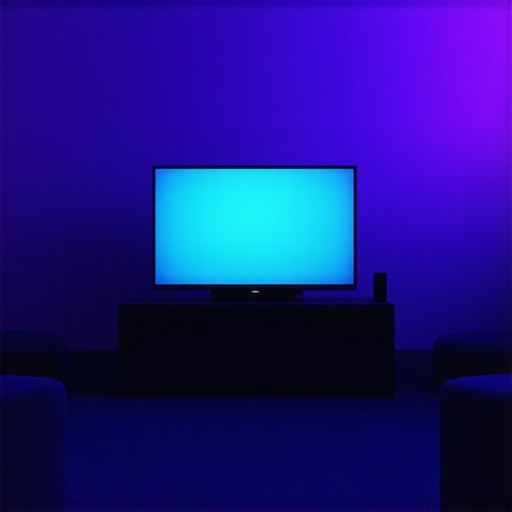
It was a typical evening at my desk. I sat there, staring at my monitor, frustrated. The glare from my LED desk lamp cast a harsh shadow across my screen, making the contrast look off and straining my eyes in ways I couldn’t ignore. Suddenly, I had a lightbulb moment: what if I could fix this with a quick, simple tweak? That’s when I discovered the 2-minute bias lighting hack that changed everything.
Why Small Changes Make a Big Difference in Your Workspace
In my early days of trying to optimize my workspace, I made plenty of mistakes. One of the biggest was overlooking the importance of ambient lighting. I constantly fiddled with my desk lamp intensity, only to realize I was creating more glare and contrast issues than solving them. It wasn’t until I added a subtle bias light behind my monitor that I truly began to notice the difference. This simple trick not only improved the contrast on my screen but also reduced eye fatigue significantly.
Are you tired of struggling with screen glare, eye strain, or poor contrast, especially during long work hours or creative sessions? Many people don’t realize how a tiny adjustment in ambient lighting can elevate their visual comfort and productivity. Today, I’ll share the exact hack that took me less than two minutes to implement, and my workspace looks and feels so much better.
Does Bias Lighting Really Make a Difference?
When I first heard about bias lighting, I was skeptical. It sounded like one of those trendy gadgets that don’t live up to the hype. But I quickly learned that the mistake I made early on was ignoring the nuances of proper placement and brightness. According to a study published in the *Journal of Vision*, proper ambient lighting can reduce eye strain and improve perception of contrast on screens.* It’s amazing how such a simple adjustment can have such a profound impact on our visual experience.
Now, let’s walk through how you can easily implement this hack to transform your screen contrast and reduce eye fatigue—no fancy equipment needed, just a small change with significant results.
Position Your Bias Light Correctly for Optimal Effect
Start by choosing a flexible LED strip or a small lamp that can be placed behind your monitor. Think of your monitor as a painting on a wall; positioning the light behind it creates a subtle glow that enhances contrast without causing glare. Place the light approximately 4 to 6 inches above or below the top edge of your monitor, ensuring that the light surface faces the wall or the space behind the screen. This setup mimics natural ambient light, reducing the contrast between your screen and surrounding environment.
Adjust Brightness to Match Your Scene
Set your bias lighting to a dim yet sufficient level — around 10 to 15% of your monitor’s brightness. The goal is to create a gentle backlight that softens the harshness of your screen’s glare without drawing attention. Think of it like the dimming lights in a movie theater; it’s enough to see the surroundings but not so bright as to overshadow the main action. If you notice reflections or glare on your screen, reduce the light intensity or adjust its angle slightly.
Choose the Right Color Temperature: Warm vs. Cool
For most people, a warm white (around 2700K to 3500K) creates a cozy atmosphere that reduces eye strain, especially during evening hours. Cooler temperatures (5000K-6500K) resemble daylight and are better suited for tasks requiring high accuracy, such as photo editing. Experiment with different color temperatures to find what feels most comfortable; I personally started with warm white and found it significantly eased my eye fatigue after a few days.
Control Your Lighting Easily with Remote or App
Invest in bias lighting that offers remote control or smartphone app integration. This allows you to swiftly change brightness and color temperature based on the time of day or task at hand. During my first adjustment, I used a dimmer switch to fine-tune my lighting; later, I upgraded to a smart LED strip that I could control from my phone, making quick tweaks effortless and maintaining a consistent ambient environment that prevents eye exhaustion.
Integrate With Your Existing Workspace Lighting
Ensure that your bias lighting complements your desk lamp and ring light setup. Avoid creating competing light sources that cause reflections or confusing shadows. Position your desk lamp at a 45-degree angle, as recommended in my previous guides, and set your ring light for video calls. Proper coordination helps your eyes adapt smoothly between different light levels, akin to switching from indoor to outdoor light seamlessly — a simple adjustment that can boost productivity and comfort considerably.
Test and Tweak for Your Perfect Setup
The final step involves spending some time working with your newly arranged lighting scheme. Observe how your eyes feel after an hour or two, and adjust brightness, color, or position as needed. Remember, small changes like moving your bias light just 2 inches higher or lowering its brightness can make a big difference. Trust your instincts, and don’t hesitate to experiment until your workspace feels natural and comfortable. If you want to explore advanced setups or find the perfect gear, check out my tips on bias lighting tips.
Many people assume that brighter is always better when it comes to workspace lighting, but in my experience, this is a misconception. Overly intense desk lamps or high-lumen ring lights can cause glare and increase eye strain rather than alleviate it. The key is understanding the subtle nuances of proper lighting placement, color temperature, and brightness levels. For example, a common mistake is positioning a desk lamp directly facing the screen, which creates distracting reflections and shadows, ultimately undermining your visual comfort. Instead, angling your light at 45 degrees and using diffusers can mitigate glare and produce a more natural illumination that reduces fatigue. Additionally, the myth that more blue-enriched light improves alertness ignores the fact that excessive cool light late in the day can disrupt your circadian rhythm, impacting sleep quality. According to a study published in the *Journal of Sleep Research*, sunlight’s natural warm tones in the evening are vital for signaling to your body it’s time to wind down, emphasizing the importance of choosing warm or adjustable color temperatures for evening work sessions. An advanced mistake many overlook is relying solely on the brightness of LED lamp or ring lights without considering their spectral quality. Low-CRI (Color Rendering Index) lights can distort color perception, affecting tasks like color grading or detailed design. Investing in high-CRI lighting, around 90+ CRI, ensures color accuracy and visual comfort. Moreover, some believe that ring lights are universally suitable for all workspace scenarios, but in truth, their positioning and intensity must be tailored; misaligned ring lights can cause unflattering shadows or reflections, especially when working with glasses. For optimal results, combining bias lighting behind your monitor with task-specific desk lighting creates a layered environment that minimizes contrast and eye fatigue. For those curious about more sophisticated lighting setups, I recommend exploring adjustable LED strips that can be synchronized with your work schedule and mood, as discussed in my article on [workspace lighting transformations](https://lighting.techdeskessentials.com/workspace-lighting-transform-your-office-with-modern-led-solutions). Remember, good lighting isn’t just about illumination—it’s a strategic tool that enhances focus, reduces fatigue, and boosts productivity. Have you ever fallen into this trap? Let me know in the comments.
Keeping Your Lighting Setup in Top Shape
Maintaining an effective workspace lighting environment requires the right tools and routine checks. I personally rely on a combination of smart LED strips, professional-grade desk lamps, and specialized software to keep my setup optimal. For example, I use the latest LED lamp innovations because they offer adjustable color temperatures and dimming capabilities that adapt seamlessly to my daily needs. These lamps also feature high CRI (Color Rendering Index), ensuring colors appear accurate, which is critical for design work and video calls.
To manage brightness and color temperature effortlessly, I employ a smart control app included with my LED setup. This allows me to schedule lighting changes and make real-time adjustments without fiddling with physical switches, saving me time and maintaining consistency. I’ve found that regular firmware updates from the manufacturer improve performance and add new features, keeping my equipment current and reliable.
For those who want to review and fine-tune their lighting environment, a lux meter can be invaluable. Tools like the professional lux meter help me ensure my workspace meets optimal lighting standards—recommendations suggest around 300-500 lux for comfortable working conditions. Consistent checks prevent deterioration of light quality over time due to dust accumulation or bulb aging.
Adjusting and Scaling for Long-Term Results
As your workspace evolves, so should your lighting. For scaling, I suggest considering modular LED systems that can be expanded easily. For instance, adding additional bias lighting behind monitors or integrating adjustable ring lights can enhance video quality during virtual meetings. When upgrading, always choose equipment with a good warranty and positive user reviews, like those rated highly on tech review sites.
Implementing these tools and routines ensures your workspace remains comfortable, visually optimized, and adaptable over years. The future of workspace lighting points toward AI-powered adjustments and energy-efficient fixtures, making automation and sustainability key trends. Investing in quality now will save you from headaches later, and regular maintenance keeps everything working smoothly.
How do I maintain my lighting system over time?
Routine cleaning of fixtures to remove dust and debris maintains brightness and color accuracy. Periodically verifying settings with a lux meter ensures lighting levels stay within recommended ranges. Keep software and firmware updated for all connected lighting equipment to access new features and security patches. Finally, stay informed about new technological advancements, such as smart LED strips that sync with your work schedule and health data, to continually optimize your environment. For an in-depth guide on scalable setups, check out my article on workspace lighting transformation.
Over the course of this journey, I’ve discovered that often, the most impactful improvements come from subtle adjustments that many overlook. The key lesson I learned about workspace lighting, especially with bias lighting, is that precision matters. Positioning a bias light just a few inches differently transformed my visual comfort entirely. Additionally, understanding the spectral qualities of LED lamps taught me that not all lights are created equal; selecting high-CRI options made a noticeable difference in my color accuracy and eye fatigue. Lastly, I realized that controlling brightness and color temperature dynamically—using smart apps—empowered me to adapt my environment swiftly, aligning with my natural circadian rhythms and task demands.

About the Author
Ricardo Vargas
Director of Operations and Product Development
Ricardo Vargas is a seasoned professional in the lighting industry, currently serving as a Director of Operations and Product Development
LinkedIn Profile
I totally agree with the effectiveness of bias lighting, especially when it comes to reducing eye strain during long hours in front of the screen. I started using a similar setup, positioning an LED strip just behind my monitor with warm white light, and I couldn’t believe how much more comfortable my eyes felt by the end of the day. What’s interesting is how even small adjustments, like changing the angle or slightly increasing the brightness, made a noticeable difference. I’ve also found that ensuring the light is indirect helps prevent reflections or glare, which can counteract the benefits.
One thing I wonder about is the optimal color temperature for different times of day—has anyone experimented with dynamic color temperature lighting that adjusts automatically? I imagine that warmer tones in the evening and cooler ones during the day could really enhance comfort and productivity. I’d love to hear from others who have tried this or any tips on achieving a seamless transition throughout the day.